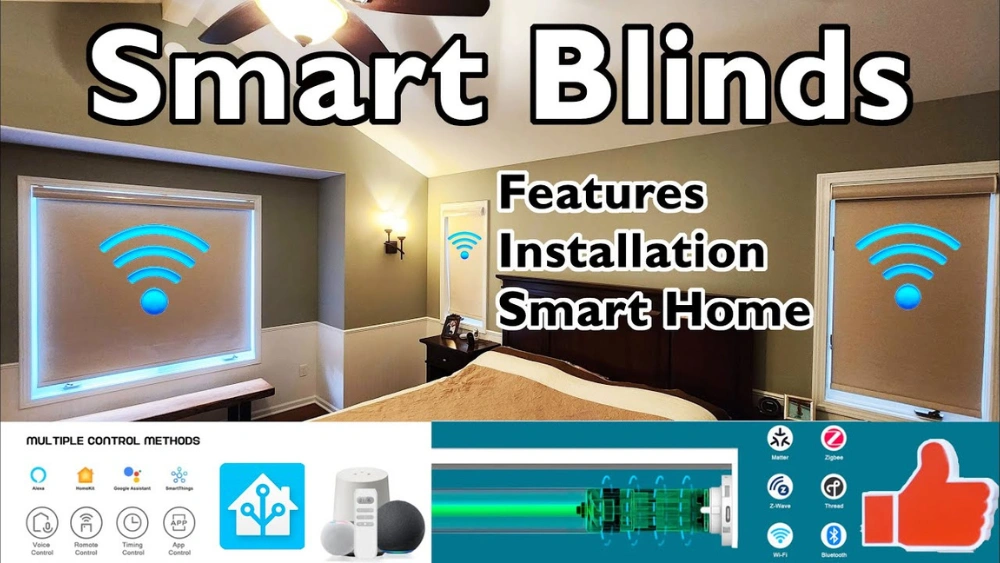
Have you ever wished your window blinds could adjust themselves without you lifting a finger? Imagine waking up to perfectly lit rooms or keeping your home cool on hot days—all without moving from your seat.
Smart blinds make this possible by using clever technology that learns your habits and adapts to your lifestyle. You’ll discover exactly how smart blinds work and how they can bring convenience, comfort, and energy savings right to your fingertips. Ready to transform your home?
Let’s dive in!

Credit: www.facebook.com
Smart Blinds Technology
Smart blinds technology transforms ordinary window coverings into interactive devices that respond to your lifestyle and environment. These blinds combine mechanics, sensors, and connectivity to offer convenience and energy savings at your fingertips. Understanding how they work can help you decide if they fit your home setup and daily routine.
Components Of Smart Blinds
Smart blinds consist of several key parts working together to automate window control. A motorized mechanism moves the blinds up, down, or tilts the slats based on commands.
There’s also a control unit with a microprocessor that processes signals from your remote or app. Sensors may be included to detect light, temperature, or even your presence, allowing the blinds to adjust automatically.
Power usually comes from rechargeable batteries or a direct electrical connection, meaning you don’t have to worry about manual adjustments once installed.
Wireless Connectivity
Wireless connectivity is what makes smart blinds truly smart. They often connect to your home Wi-Fi or use protocols like Bluetooth or Zigbee to communicate with your smartphone or smart home hub.
This means you can control your blinds from anywhere—whether you’re sitting on the couch or miles away at work. Some systems even integrate with voice assistants like Alexa or Google Assistant, so you can adjust your blinds hands-free.
Have you ever forgotten to close your blinds before leaving home? Wireless control lets you fix that instantly, saving energy and protecting your privacy with a simple tap.
Installation Process
Installing smart blinds is a straightforward process that anyone can handle. These blinds combine technology with convenience, so proper setup ensures smooth operation. A few tools and clear instructions are all you need to get started.
Pre-installation Requirements
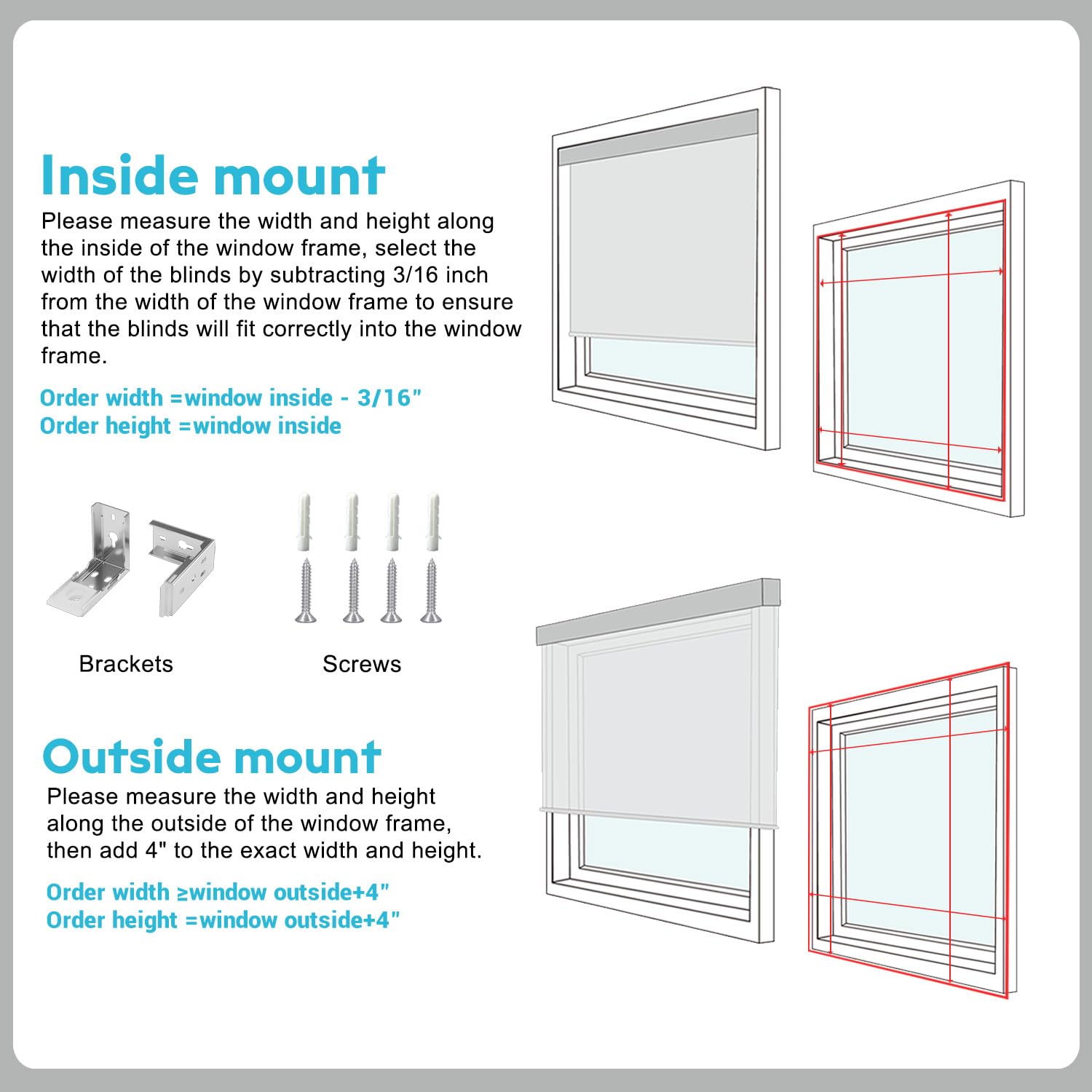
Before installing smart blinds, check the window size and type. Measure the width and height accurately. Make sure the blinds you have match these measurements. Gather basic tools like a drill, screwdriver, and level.
Confirm the power source location for motorized blinds. Some models need batteries, others require plugs. Check your Wi-Fi signal strength near the window. A strong connection helps the blinds respond faster.
Read the manufacturer’s manual carefully. Understand any special instructions or warnings. Clear the area around the window for easy access during installation.
Step-by-step Guide
- Start by attaching the mounting brackets to the window frame or wall. Use a level to keep them straight.
- Secure the brackets with screws. Drill pilot holes if the surface is hard.
- Snap or slide the smart blinds into place on the brackets.
- Install batteries or connect the power adapter as required.
- Download the associated app on your smartphone or tablet.
- Follow the app instructions to connect the blinds to your Wi-Fi network.
- Test the blinds by opening and closing them using the app or remote.
- Adjust settings like schedules, light sensitivity, or voice control options.
Integration With Home Systems
Smart blinds blend seamlessly with modern home systems. They allow easy control through devices you already use daily. This integration creates a smoother, smarter home experience. You can manage lighting, privacy, and energy use with simple commands or apps. Smart blinds connect with various platforms and voice assistants. This connection makes your home more responsive and convenient.
Compatibility With Smart Home Platforms
Smart blinds work with popular smart home platforms. Many support systems like:
- Amazon Alexa
- Google Home
- Apple HomeKit
- Samsung SmartThings
This compatibility means you can add blinds to your existing setup. Control your blinds alongside lights, thermostats, and cameras. Some models connect via Wi-Fi, others use Bluetooth or Zigbee. Check your platform before buying for smooth setup and control.
Voice Control Features
Voice commands simplify managing smart blinds. You can open, close, or adjust them hands-free. Say phrases like “Close the blinds” or “Set blinds to 50%.” Voice control works through assistants like Alexa, Google Assistant, or Siri. This feature enhances accessibility and ease of use. It fits well in busy homes or for people with mobility issues.
Credit: www.amazon.com
Energy Efficiency Benefits
Smart blinds offer more than just convenience—they can significantly boost your home’s energy efficiency. By adjusting automatically to the conditions outside, these blinds help control the temperature inside your home. This means you spend less on heating and cooling without even thinking about it.
Reducing Energy Consumption
Smart blinds lower your energy bills by cutting down on the use of heating and air conditioning. When the sun is blazing, they close to block heat, keeping your rooms cooler. During colder days, they open to let sunlight warm up your space naturally.
Imagine coming home on a hot summer afternoon to a cool house without blasting the AC. Smart blinds make this possible by working with your thermostat to maintain a steady temperature. This reduces the energy your HVAC system uses, saving money and reducing your carbon footprint.
Optimizing Natural Light
These blinds adjust to maximize natural light, reducing the need for artificial lighting during the day. With sensors or timers, they open to let in sunlight just when you need it most. This not only saves electricity but also improves your mood and productivity.
Have you noticed how natural light changes throughout the day? Smart blinds respond to these changes by shifting position, so your home always feels bright and welcoming without overheating. This balance can be tricky to achieve manually, but smart technology takes care of it effortlessly.
Security And Privacy
Smart blinds offer convenience but also raise concerns about security and privacy. Protecting your home data and personal information is important. Manufacturers use several techniques to keep your smart blinds safe.
Data Encryption
Data encryption scrambles information sent between your blinds and devices. This prevents hackers from reading or stealing it. Most smart blinds use strong encryption standards like AES-128 or AES-256. Encrypted data helps keep your commands and settings private.
Encryption works during:
- Wireless communication with your phone or hub
- Cloud storage of settings and user data
- Software updates sent to the blinds
Without encryption, anyone could intercept and misuse your data. This security layer protects your home from unauthorized control.
User Privacy Protection
Smart blind makers follow strict rules to protect your privacy. They limit data collection to what is necessary for operation. Personal details are stored securely and not shared without consent.
Privacy protection includes:
- Anonymous user profiles
- Opt-in options for data sharing
- Clear privacy policies explaining data use
Users control settings through apps, deciding what data to share. These measures ensure your daily routines and habits stay private.
Maintenance Tips
Smart blinds combine technology and style for modern homes. Proper maintenance keeps them working smoothly and looking great. Regular care prevents issues and extends their lifespan.
Routine Cleaning
Dust and dirt can affect smart blinds’ performance. Clean them gently with a soft cloth or duster. Avoid harsh chemicals that damage the material or electronics.
- Use a microfiber cloth for dust removal.
- Lightly dampen cloth for sticky spots only.
- Check manufacturer’s guide for specific cleaning tips.
Keep sensors and remote controls clean for better response. Regular cleaning helps maintain smooth operation and appearance.
Troubleshooting Common Issues
Smart blinds may face small problems like connectivity or motor delays. Restarting the device often solves many issues quickly. Check batteries and power supply for proper function.
- Reset the blinds using the control app or button.
- Ensure Wi-Fi is stable and within range.
- Inspect for obstructions in the blinds’ path.
- Update the firmware to fix bugs and improve features.
Following these simple steps helps avoid costly repairs. Contact support if problems persist after basic troubleshooting.
Future Trends
The future of smart blinds holds exciting possibilities. These systems will become smarter and more efficient. Users will enjoy greater comfort, energy savings, and convenience. Innovations will enhance how blinds respond to light, weather, and user habits. Smart homes will benefit from deeper integration of these devices.
Advancements In Smart Blinds
Smart blinds will feature improved sensors that detect light and temperature more accurately. They will adjust automatically throughout the day for optimal comfort. Battery life will extend, reducing the need for frequent charging. New materials will make blinds quieter and more durable. Voice control will become smoother and more responsive.
Integration With Ai And Iot
Artificial intelligence will help smart blinds learn daily routines. They will predict user preferences and adjust settings without manual input. Internet of Things (IoT) technology will link blinds to other smart devices. Lights, thermostats, and security systems will work in sync with blinds. This integration will create a seamless home environment that adapts to you.

Credit: www.reddit.com
Frequently Asked Questions
How Do Smart Blinds Operate Automatically?
Smart blinds use sensors and timers to adjust position. They respond to light, temperature, or user schedules for convenience and energy savings.
Can Smart Blinds Be Controlled Remotely?
Yes, smart blinds connect to Wi-Fi or Bluetooth. Users control them via smartphone apps or voice assistants from anywhere.
What Power Sources Do Smart Blinds Use?
Smart blinds typically use batteries, rechargeable cells, or direct power. Battery-powered models offer easier installation without wiring needs.
Are Smart Blinds Compatible With Home Automation?
Most smart blinds integrate with popular smart home systems. They work with Alexa, Google Home, and Apple HomeKit for seamless automation.
Conclusion
Smart blinds offer easy control of light and privacy in your home. They use sensors and apps to adjust automatically or by your command. This technology saves energy and adds comfort to daily life. Choosing smart blinds means choosing convenience and style together.
They fit well in any modern space. Now you know how smart blinds work and why they matter. Consider them for a simple upgrade that makes a big difference.






