Imagine controlling your window blinds with just a tap on your phone or a simple voice command. No more struggling to reach those hard-to-get blinds or worrying about leaving them open when you’re away.
Making your own smart blinds is easier than you think—and it can save you money while adding a touch of modern convenience to your home. In this guide, you’ll discover step-by-step how to turn your regular blinds into smart ones, giving you full control anytime, anywhere.
Ready to upgrade your space and impress your guests? Let’s dive in!
Benefits Of Smart Blinds
Smart blinds offer more than just modern appeal. They bring convenience, energy savings, and enhanced comfort right to your fingertips. Imagine adjusting your window coverings without leaving your chair or setting them to open with the sunrise—this is the kind of everyday ease smart blinds can add to your life.
Energy Efficiency And Cost Savings
Smart blinds can help you save money on energy bills by automatically adjusting to the sunlight and room temperature. They close during the hottest part of the day to keep your home cool or open to warm up the space naturally when it’s cold. Have you noticed how much energy your heating or cooling costs rise during extreme weather? Smart blinds can reduce that spike significantly.
Enhanced Comfort And Convenience
Controlling your blinds remotely means you never have to get up in the middle of a movie or when you’re cozy in bed. You can schedule them to open gently in the morning or close at sunset, creating a perfectly timed environment. Think about how much time you spend adjusting blinds daily—smart blinds take that hassle away.
Improved Home Security
Smart blinds can create the illusion that someone is home even when you’re away. You can program them to open and close at different times to deter potential intruders. Have you considered how automated lighting and blinds together can enhance your home’s security?
Integration With Smart Home Systems
These blinds fit seamlessly with devices like Alexa, Google Home, or Apple HomeKit. You can control them with voice commands or link them to other smart devices for a fully automated home experience. Does the idea of managing your entire home environment from one app sound appealing?
Customization And Style
You can personalize smart blinds to match your lifestyle and decor. Whether you want sheer, blackout, or patterned blinds, the smart feature doesn’t limit your choices. How important is it for you to keep your home stylish while adding smart functionality?
Essential Tools And Materials
Creating your own smart blinds requires specific tools and materials. Having the right items makes the process smoother and more efficient.
This section covers the essential tools and materials needed to start your smart blinds project.
Basic Tools Required
- Screwdriver set for assembling and mounting parts
- Drill for making holes in walls or window frames
- Measuring tape to ensure accurate sizing
- Wire cutters to trim wires cleanly
- Soldering iron for connecting electrical components
- Multimeter to test electrical connections
- Hot glue gun for securing small parts
- Small pliers for bending and holding wires
Materials For Smart Blinds
- Motorized blind kit or small DC motor with gears
- Microcontroller like Arduino or ESP8266 for control
- Power supply or batteries to run the motor
- Limit switches or sensors to stop the motor at ends
- Bluetooth or Wi-Fi module for remote control
- Wires and connectors to link components
- Mounting brackets and screws
- Blinds slats or fabric to cover windows
Choosing The Right Blinds
Choosing the right blinds is key to making your smart blinds project a success. Not all blinds work well with automation. Some are easier to control and fit better with smart systems.
Consider the material, style, and how the blinds open and close. The right choice saves time and money. It also makes your home more comfortable and energy efficient.
Types Of Blinds Suitable For Automation
- Roller blinds: Simple design, easy to motorize.
- Venetian blinds: Horizontal slats that tilt and lift.
- Vertical blinds: Ideal for large windows and sliding doors.
- Roman blinds: Fold neatly, can be automated with special motors.
- Cellular blinds: Provide insulation, work well with smart controls.
Factors To Consider
- Material strength: Choose blinds that handle motors without damage.
- Weight: Heavier blinds need stronger motors.
- Window size: Large windows may need multiple motors or special setups.
- Power source: Battery, plug-in, or solar options affect placement.
- Control type: Remote, app, voice, or sensor-based control options.

Credit: www.amazon.com
Selecting The Motor System
Selecting the right motor system is vital for smart blinds. The motor powers the movement and controls the opening and closing. Choosing a motor that fits your needs ensures smooth operation and long-lasting use.
Consider factors like power source, size, noise level, and ease of installation. The motor should work well with your type of blinds. This step sets the foundation for your smart blinds project.
Different Motor Options
- DC Motors:Small, efficient, and quiet. Ideal for lightweight blinds.
- Stepper Motors:Precise control of movement. Great for exact positioning.
- Servo Motors:Offer strong torque and accurate control. Best for heavier blinds.
- Tubular Motors:Designed to fit inside roller tubes. Common in roller blinds.
- Battery-Powered Motors:No wiring needed. Convenient but requires charging.
- Wired Motors:Connect to home power. Reliable for constant use.
Compatibility With Blinds
Not all motors fit every type of blind. Check the blind’s size and weight before choosing a motor. Some motors suit roller blinds better. Others work best with Venetian or vertical blinds.
Measure the tube diameter if using tubular motors. Confirm the motor’s torque matches the blind weight. Ensure the motor control system pairs with your smart home setup.
Integrating Smart Technology
Integrating smart technology into your DIY smart blinds transforms them from simple window coverings into intelligent devices that enhance convenience and energy efficiency. This step involves connecting your blinds to the right systems and controls, allowing you to manage them effortlessly. Understanding how to sync your blinds with smart home ecosystems and control options is key to making the most out of your project.
Smart Home Systems
Choosing the right smart home system is crucial for seamless integration. Popular platforms like Amazon Alexa, Google Home, and Apple HomeKit offer broad compatibility with many smart devices, including motorized blinds.
When selecting a system, consider:
- Compatibility with your existing smart devices.
- Ease of setup and user interface.
- Support for automation routines and scheduling.
For instance, pairing your smart blinds with Google Home can let you set schedules based on sunrise or sunset times automatically. Have you thought about how automating your blinds could reduce your energy bills or boost your home’s comfort?
App And Voice Control Integration
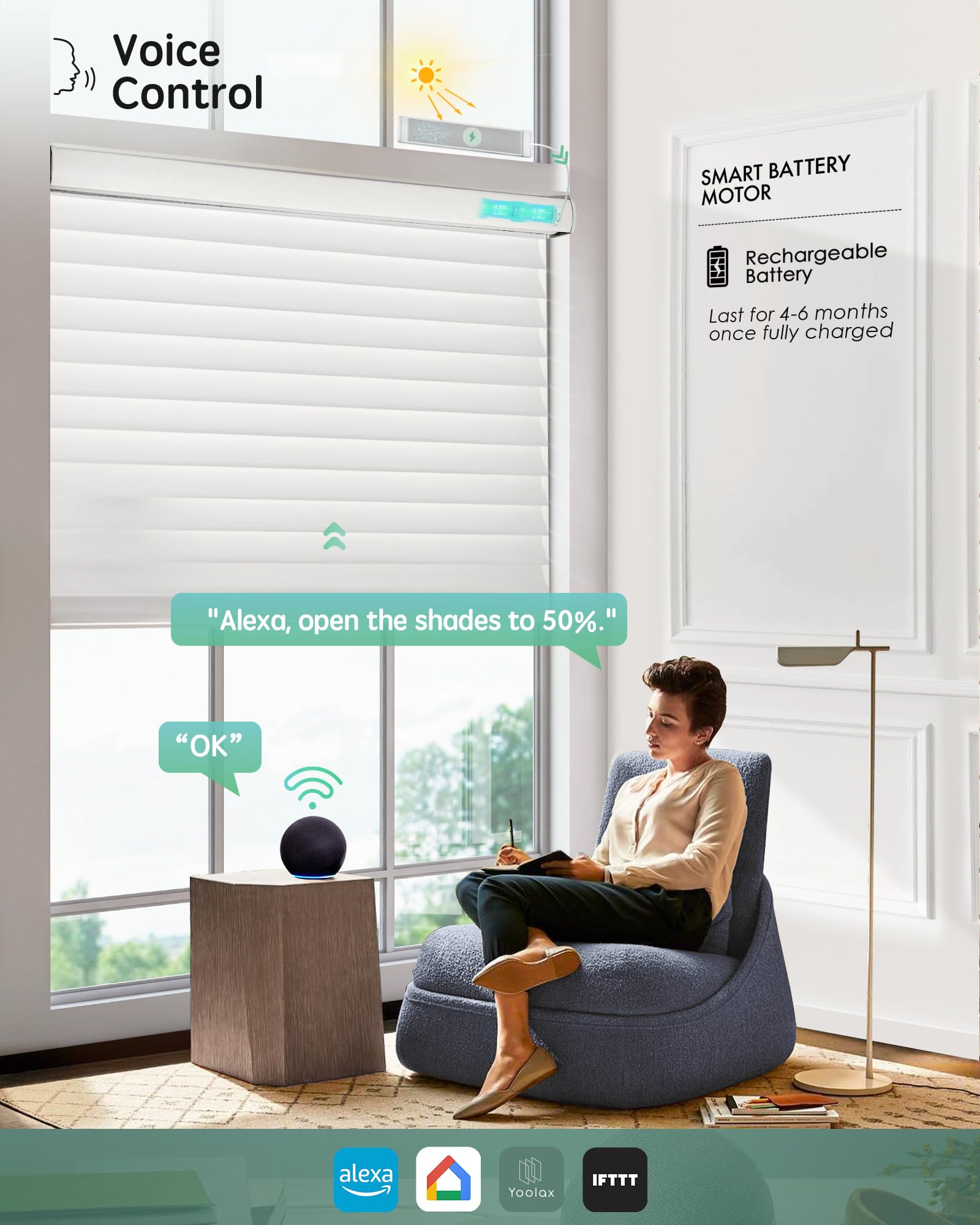
Controlling your blinds through an app or voice commands adds a new level of convenience. Most smart motors for blinds come with dedicated apps that allow you to raise, lower, or adjust the slats from anywhere.
Voice control through assistants like Alexa or Google Assistant takes this a step further by letting you operate your blinds hands-free. Imagine closing your blinds while cooking or before bedtime without moving a muscle.
To ensure smooth control:
- Download and set up the manufacturer’s app on your smartphone.
- Link the app to your chosen smart home system.
- Enable voice commands by connecting the device to your voice assistant.
Have you tried setting up a simple voice command yet? You might be surprised how quickly you get used to this effortless way of managing your home environment.

Credit: www.youtube.com
Step-by-step Installation Guide
Installing your own smart blinds can feel daunting, but breaking it down makes the process straightforward. This guide walks you through each crucial part, from prepping your existing blinds to syncing them with your smart home system.
Preparing The Blinds
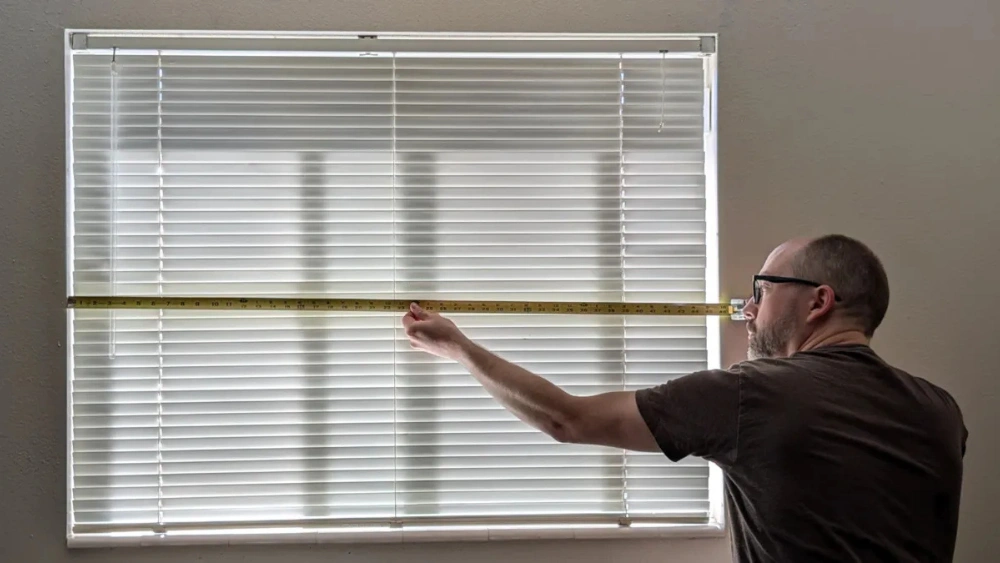
Start by measuring your window to ensure the blinds will fit perfectly once motorized. Remove any dust or debris from the slats and cords to avoid interference during installation.
Check the type of blinds you have—roller, Venetian, or vertical—as this affects the motor you’ll need. I once tried fitting a roller blind motor on Venetian blinds, which caused a lot of frustration and wasted time.
Make sure the blinds operate smoothly by hand first. If they’re stiff or damaged, fix those issues before adding the motor to prevent mechanical failure later.
Installing The Motor
Choose a motor compatible with your blind’s size and weight. Most kits come with a mounting bracket that attaches directly to the headrail or window frame.
Use a drill to secure the bracket firmly. Avoid overtightening screws as this can crack plastic components. Test the motor’s rotation by hand before finalizing the setup.
Keep the power source in mind—whether it’s battery-operated or plug-in. For batteries, position the compartment where it’s easy to access for future replacements.
Connecting To Smart System
Download the motor’s companion app and follow its instructions to connect via Wi-Fi or Bluetooth. You’ll typically need to create an account and add the device manually.
Link the motor to your existing smart home system, like Alexa or Google Home, to control blinds with voice commands. Confirm the blinds respond correctly by testing open and close commands.
If you encounter connectivity issues, try restarting your router or moving the motor closer to the hub. Smart blinds are only as good as their connection, so don’t overlook this step.
Troubleshooting Common Issues
Troubleshooting your DIY smart blinds can feel tricky, but many common issues have straightforward fixes. Identifying the root cause quickly saves you time and frustration. Let’s break down typical problems and practical ways to resolve them so your blinds work smoothly again.
Motor Malfunctions
If your blinds don’t move or seem stuck, the motor might be the issue. Check if the motor is receiving power; sometimes the battery is drained or connections are loose. A quick tip: test the motor separately with a direct power source to see if it runs independently.
Overheating can also cause the motor to stop working temporarily. Let it cool down for a while before trying again. If you notice unusual noises or jerky movements, inspect the gears and belts inside the motor housing—they might be misaligned or worn out.
Have you checked the firmware or control board? Sometimes updating or resetting the motor’s control system solves responsiveness problems. Don’t overlook simple dust or debris blocking the motor’s mechanism—cleaning can restore smooth operation.
Connectivity Problems
Smart blinds rely on stable connections to your home network or remote controls. If your blinds don’t respond, first verify your Wi-Fi signal strength near the blinds. Weak signals often cause delays or missed commands.
Restart your router and the smart blinds controller to refresh connections. Check if your device is paired correctly with the app or smart home hub—sometimes a quick re-pairing is all that’s needed.
Interference from other wireless devices can disrupt communication. Try moving your router or blinds controller away from appliances like microwaves or cordless phones. Have you considered switching to a different wireless channel to reduce interference?
Lastly, ensure your app and firmware are up to date. Outdated software can create compatibility issues that block proper control of your blinds. Regular updates keep your system running without hiccups.
Maintenance Tips
Maintaining your smart blinds helps them last longer and work better. Proper care keeps the motors and sensors running smoothly. Small tasks done regularly prevent bigger problems later. Follow these simple tips to keep your smart blinds in top shape.
Regular Cleaning
Dust and dirt can block sensors and damage the fabric. Use a soft cloth or microfiber duster to clean the blinds weekly. Avoid harsh cleaners that can harm the material or electronics. For deeper cleaning, gently wipe with a damp cloth and mild soap. Make sure the blinds are fully dry before using the motor.
Ensuring Smooth Operation
Check the moving parts regularly. Look for any signs of wear or obstruction in the tracks. Lubricate the tracks with a silicone-based spray to reduce friction. Test the remote and app control often to catch any issues early. Replace batteries in the motor or remote to avoid power failures. Keep the sensors free from obstacles that might block signals.
Enhancing Your Smart Blinds
Enhancing your smart blinds can transform a simple DIY project into a truly personalized and functional addition to your home. Once your basic setup is running smoothly, consider adding features that increase convenience, security, and energy efficiency. These enhancements not only improve daily use but can also make your blinds smarter over time.
Additional Features
Adding more features can make your smart blinds fit perfectly with your lifestyle. You might want to include light sensors that automatically adjust the blinds based on sunlight intensity. This helps keep your rooms comfortable without manual input.
Voice control is another popular feature. Integrating your blinds with smart assistants like Alexa or Google Home lets you open or close them with simple commands. Imagine saying “close the blinds” while sitting on the couch—no need to get up.
Consider adding a timer function. Setting schedules to open or close blinds at specific times can improve your home’s energy efficiency and security, especially when you’re away. Have you thought about how this could help reduce your cooling bills during summer?
Future Upgrades
Smart home technology evolves quickly, so plan your smart blinds to allow future upgrades. Use modular components that can be swapped out easily when newer, better parts become available. This keeps your system current without starting from scratch.
Adding Wi-Fi or Bluetooth connectivity later can expand control options beyond your home network. This means you could adjust your blinds remotely while at work or on vacation, adding peace of mind.
Think about integrating sensors that detect room occupancy. Blinds that respond only when someone is in the room save energy and enhance comfort. What other smart home devices could you connect your blinds with to create a seamless system?
Credit: www.amazon.com
Frequently Asked Questions
What Materials Are Needed To Make Smart Blinds?
You need motorized blind kits, microcontrollers, power supply, sensors, and smartphone app support. These components enable automation and remote control of your blinds efficiently.
How Do Smart Blinds Improve Home Automation?
Smart blinds integrate with home systems, allowing voice control and scheduling. They enhance energy efficiency by adjusting light and temperature automatically.
Can I Install Smart Blinds Without Professional Help?
Yes, many DIY kits come with clear instructions. Basic electrical knowledge and patience make the installation process manageable for most homeowners.
What Are Common Control Options For Smart Blinds?
Smart blinds can be controlled via smartphone apps, voice assistants, or remote controls. This flexibility offers convenience and customization to suit your lifestyle.
Conclusion
Creating your own smart blinds is easier than you think. You save money and learn new skills. You control light and privacy with a simple app. Customizing blinds to fit your needs feels rewarding. Start small and enjoy the process step by step.
This project adds convenience and comfort to your home. Give it a try and see the difference yourself. Smart blinds bring modern living into your space. It’s a fun way to upgrade your everyday life.






