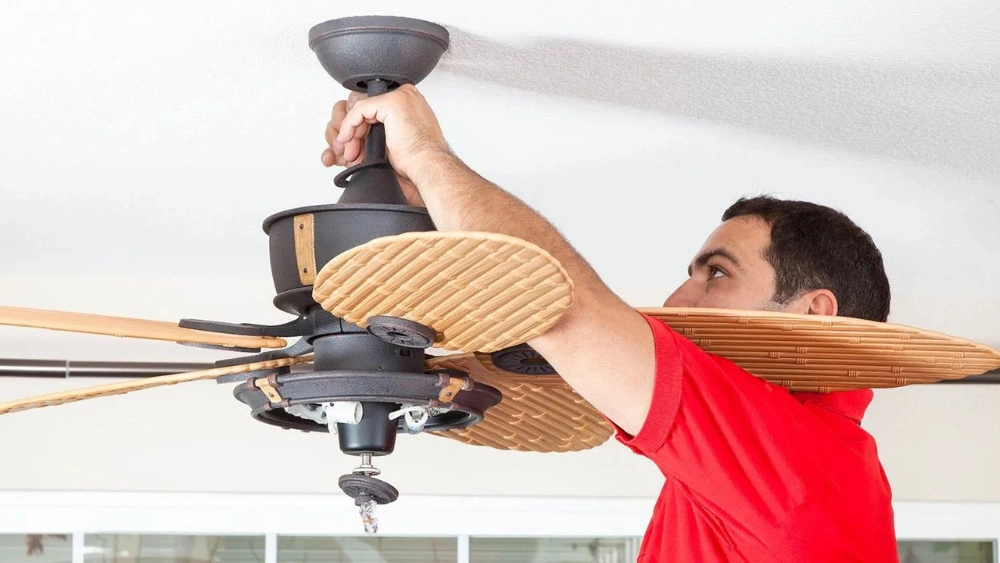
Is your ceiling fan making an annoying clicking sound every time it spins? That repetitive noise can quickly turn a peaceful room into a frustrating one.
You might be wondering if it’s something serious or just a small fix you can handle yourself. The good news is, you don’t have to live with that constant clicking or rush to call a professional just yet. You’ll discover simple, step-by-step ways to identify the cause and fix your ceiling fan, so it runs smoothly and quietly again.
Keep reading—you’re just a few easy steps away from enjoying a calm, comfortable space.
Credit: www.tiktok.com
Common Causes Of Clicking Sounds
Hearing a clicking sound from your ceiling fan can be frustrating and distracting. Before you grab the toolbox, it helps to understand what might be causing the noise. Identifying the common reasons behind clicking sounds will save you time and help you fix the problem efficiently.
Loose Fan Blades
One of the most frequent causes of clicking is loose fan blades. When blades aren’t tightened properly, they wobble and hit the fan housing or other parts as they spin.
Check if the screws holding the blades are secure. Even a small looseness can create a repetitive clicking sound.
Obstructions Or Debris
Sometimes, dirt, dust, or small objects get caught in the fan’s moving parts. These obstructions can hit the blades or motor, causing a clicking noise.
Think about the last time you cleaned your fan. Could dust buildup be the culprit? A thorough cleaning often stops the noise instantly.
Worn Out Bearings
Bearings inside the fan motor allow the blades to rotate smoothly. Over time, these bearings can wear down or dry out, leading to irregular movements and clicking noises.
If your fan sounds like it’s struggling to spin, worn bearings might be why. Lubricating or replacing them can restore quiet operation.
Misaligned Fan Parts
Misalignment between the fan blades, motor, or housing can cause parts to bump into each other. This contact produces clicking or tapping sounds with each rotation.
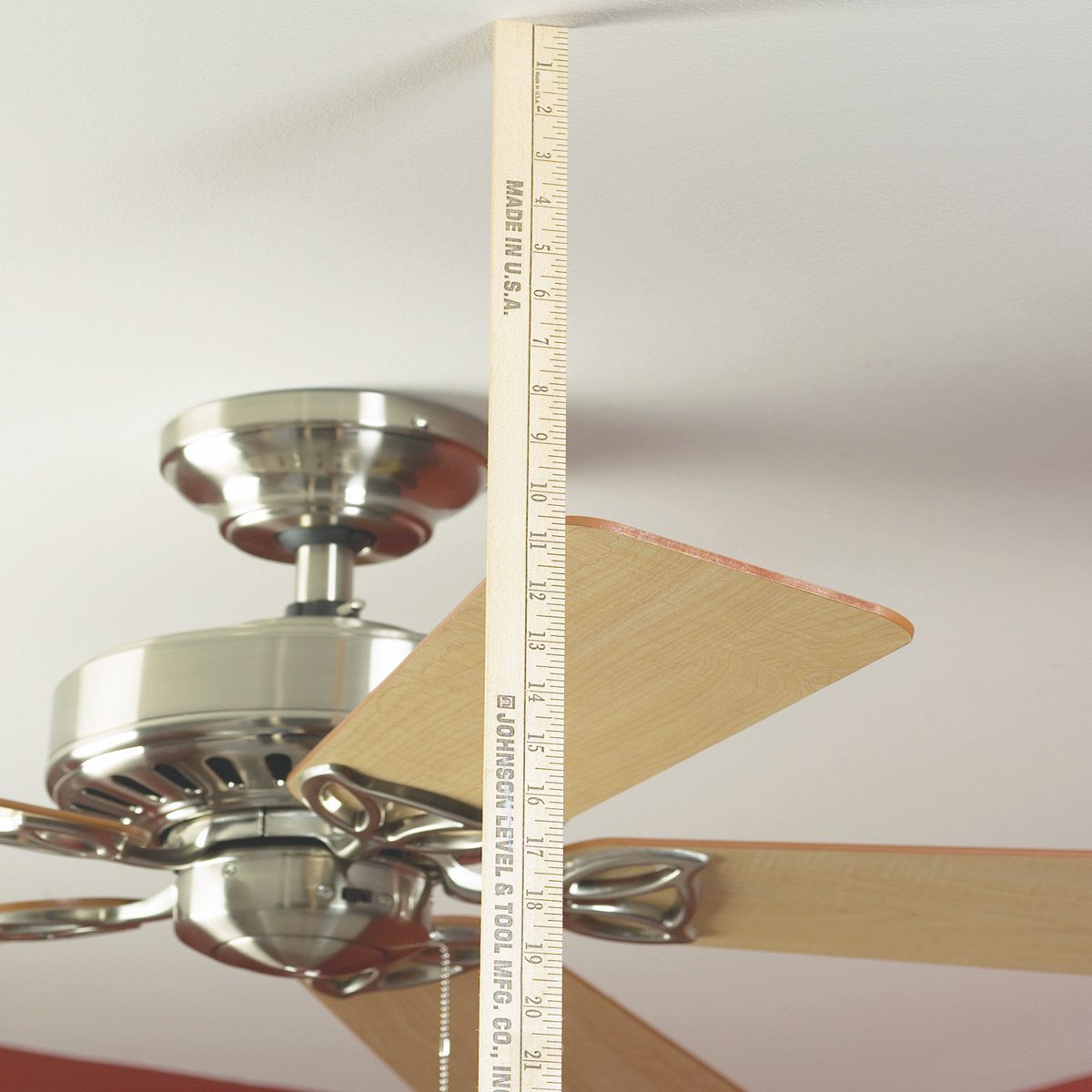
Have you noticed your fan wobbling? Misalignment often causes both wobble and noise, so check the blade positions carefully.
Electrical Issues
Occasionally, clicking can come from the fan’s electrical components, like the pull chain switch or capacitors. A faulty switch might click as it engages or disengages.
Does the clicking sync with turning the fan on or off? Electrical problems may require replacement parts or professional help.
Safety Precautions
Fixing a clicking ceiling fan can be straightforward, but safety should always come first. Before you reach for your tools, take a moment to prepare properly. Ignoring safety can lead to accidents that turn a simple repair into a bigger problem.
Turn Off The Power
Always switch off the power at the circuit breaker, not just the fan’s wall switch. This completely cuts electricity to the fan and prevents any unexpected starts while you work. Have you ever felt a sudden jolt from a device you thought was off? Avoid that risk by double-checking the power.
Use A Stable Ladder
Choose a sturdy ladder that lets you comfortably reach the fan without stretching or balancing awkwardly. A wobbly ladder can cause serious falls. Make sure the ladder is on a flat surface and ask someone to hold it if possible.
Wear Protective Gear
Protect your eyes and hands during the repair. Ceiling fans can have sharp edges or loose parts that might fall. Safety glasses and gloves shield you from debris and accidental cuts.
Check For Loose Parts Carefully
Before tightening anything, inspect the fan blades and mounting bracket for looseness. Loose parts can lead to noise but might also cause the fan to wobble dangerously. Handling these with care reduces your chance of injury or damage to the fan.
Keep Your Work Area Clear
Remove furniture or objects from under the fan to prevent damage or injury if something drops. A clutter-free area gives you space to move safely. Have you considered how a simple obstacle could cause a trip or fall during your repair?
Tools Required
Before you dive into fixing that annoying clicking noise from your ceiling fan, make sure you have the right tools at hand. Having the proper equipment not only makes the job smoother but also keeps you safe and confident while working up high. You might be surprised how a simple tool can save you time and frustration.
Essential Hand Tools
- Screwdriver Set:Both flathead and Phillips screwdrivers are necessary for removing fan blades and accessing internal parts.
- Adjustable Wrench:Useful for tightening or loosening nuts on the fan’s mounting bracket or blade arms.
- Allen Wrenches:Some fans use hex screws that require these for adjustments.
Safety Equipment
- Step Ladder:A sturdy ladder that lets you reach the fan comfortably without overreaching.
- Safety Glasses:Protect your eyes from dust or debris when cleaning or handling parts.
- Gloves:To keep your hands clean and avoid cuts from sharp edges.
Additional Helpful Tools
- Lubricant Spray:A silicone or light machine oil helps reduce friction in moving parts that may cause clicking.
- Soft Cloth or Brush:For cleaning dust build-up that can cause imbalance or noise.
- Voltage Tester:To ensure the fan is safely powered off before you start working.
Have you ever started a repair only to realize you’re missing a key tool? It’s frustrating and can lead to half-finished projects. Gathering these tools before you begin will make the repair process efficient and less stressful. Ready to get your fan spinning silently again?
Inspecting The Fan Blades
Inspecting the fan blades is a crucial step in fixing a clicking ceiling fan. Often, the blades are the source of noise due to imbalance or loose fittings. Taking a close look at each blade can reveal small issues that might be causing that annoying click every time the fan spins.
Checking Blade Balance
Uneven fan blades can cause the fan to wobble and click. You can check the balance by turning off the fan and gently spinning each blade by hand to feel if any blade is heavier or lighter. Another simple way is to use a blade balancing kit or even tape a small coin to the lighter blades to even out the weight.
Have you noticed your fan swaying or making noise only at certain speeds? That often points to unbalanced blades. Fixing this not only stops the clicking but also prevents damage to your fan motor over time.
Tightening Loose Screws
Loose screws on the fan blades or blade brackets can create a clicking sound as the fan operates. Grab a screwdriver and carefully check all screws holding the blades and brackets in place. Tighten any that feel loose, but be careful not to overtighten and strip the screw holes.
Sometimes, even a single loose screw can cause repetitive clicking. After tightening, test the fan at different speeds to see if the noise has stopped. You might be surprised how a small adjustment like this can make a big difference in your fan’s performance and quietness.
Examining The Light Fixture
Examining the light fixture attached to your ceiling fan can often reveal the source of that annoying clicking noise. Light fixtures have small parts that can loosen over time, causing sounds as the fan blades move. Taking a closer look at these components can save you from unnecessary repairs or replacements.
Securing Loose Bulbs
Loose bulbs are a common culprit behind clicking sounds in ceiling fans. If a bulb isn’t screwed in tightly, it can shift slightly as the fan spins, creating noise. Simply turn off the fan and let the bulbs cool before gently tightening each one by hand.
While checking the bulbs, look for any signs of wear or damage. A cracked bulb or socket may also cause intermittent noises and should be replaced promptly. Have you ever noticed how a small adjustment like tightening bulbs can instantly silence a room?
Adjusting Fixture Components
Beyond bulbs, other parts of the light fixture can become misaligned or loose. The glass shades, screws, and mounting brackets all need to be firmly in place. Use a screwdriver to tighten any loose screws, but avoid overtightening, which might crack glass parts.
Sometimes, the fixture’s arms or decorative elements can shift out of place. Gently reposition these components and test the fan’s operation. It’s surprising how a tiny misalignment can trigger repetitive clicking sounds that disrupt your peace.
Credit: www.familyhandyman.com
Motor And Housing Inspection
Inspecting the motor and housing is key to stopping a clicking ceiling fan. The motor powers the fan blades, so any issue here can cause noise. The housing holds the motor in place. Loose or worn parts inside the motor or housing often create clicking sounds. Careful inspection can reveal problems like dirt, worn bearings, or loose screws. Fixing these can restore smooth and quiet operation.
Lubricating The Motor
Lubrication reduces friction inside the motor. Without enough oil, the motor parts rub together, causing noise. Use a few drops of electric motor oil on the motor shaft. Avoid heavy oils or sprays that attract dust. Rotate the fan blades by hand to spread the oil evenly. Regular lubrication keeps the motor running quietly and extends its life.
Securing Motor Housing
Loose housing parts cause vibrations and clicking sounds. Check all screws and bolts holding the motor housing. Tighten any that feel loose using a screwdriver or wrench. Inspect the mounting bracket and canopy for stability. Use a flashlight to see hidden screws. Properly secured housing stops movement and noise during fan operation.
Testing For Electrical Issues
Testing for electrical issues is a crucial step when your ceiling fan starts clicking. Electrical problems can cause irregular noises and even pose safety risks. Before calling a professional, you can check a few things yourself to rule out or identify wiring problems.
Checking Wiring Connections
First, turn off the power to your fan at the circuit breaker to stay safe. Remove the fan’s canopy cover to access the wiring connections inside.
Look for loose wires or connections that might be causing the clicking sound. Wires that are not tightly connected can create intermittent contact, leading to noise. If you spot any disconnected wires, reconnect them securely using wire nuts.
Also, check for signs of wear or damage, like frayed wires or burnt spots. These issues need immediate attention to avoid short circuits or electrical hazards. Have you ever noticed a loose wire causing unexpected noises in your home appliances?
Resetting The Circuit Breaker
If wiring looks fine, try resetting the circuit breaker next. Sometimes, a tripped breaker or a partially engaged switch can cause irregular power flow, leading to clicking noises from the fan motor.
Locate your home’s electrical panel, find the breaker that controls the fan, and flip it off and then back on. This simple action can clear minor electrical glitches and restore proper power.
After resetting, turn your fan on and listen carefully. Does the clicking stop or reduce? If not, the issue might be deeper in the fan’s motor or controls, but this step often resolves power-related noises quickly.

Credit: www.reddit.com
Final Checks And Maintenance Tips
After fixing the clicking noise in your ceiling fan, it’s important to perform final checks and adopt good maintenance habits. These steps help ensure the issue doesn’t come back and keep your fan running smoothly for a long time. Small, regular efforts can save you from bigger headaches later.
Check Blade Alignment And Tightness
Make sure each blade is perfectly aligned and securely attached. Loose blades or uneven alignment often cause clicking sounds. Tighten the screws gently but firmly, and if you spot any warped blades, consider replacing them to avoid imbalance.
Clean Fan Blades And Motor Housing
Dust build-up can throw off your fan’s balance and cause noise. Use a soft cloth or a vacuum with a brush attachment to clean blades and motor housing carefully. Cleaning also helps your fan work more efficiently, reducing wear and tear.
Lubricate Moving Parts
Some fans need lubrication to keep parts moving quietly. Check your fan’s manual to see if oiling is recommended. Use a few drops of light machine oil on the motor shaft or bearings if needed—this can drastically reduce friction noises.
Inspect The Fan’s Mounting
Look at the fan’s connection to the ceiling. A loose mount can cause vibrations and clicking. Tighten the mounting bracket and check if the fan sways when running; if it does, adjust or reinforce the mount.
Test The Fan At Different Speeds
Run your fan at all speed settings to confirm the clicking is gone. Sometimes, noise only appears at specific speeds due to motor strain or blade imbalance. If noise persists, revisit your earlier fixes or consider professional help.
Schedule Regular Maintenance
Set a reminder to inspect and clean your fan every few months. Regular maintenance prevents dust accumulation and detects wear early. Think of it as a small investment to avoid costly repairs and keep your fan whisper-quiet.
Have you noticed how a well-maintained fan feels almost invisible in your room? That quiet, steady airflow is a sign you’ve done your job well. Why wait for noise to get annoying when a little care can keep your fan running smoothly?
Frequently Asked Questions
Why Is My Ceiling Fan Making A Clicking Noise?
A clicking noise often indicates loose fan blades or a bent blade arm. It can also be caused by debris caught in the motor or blade assembly. Tightening screws and cleaning the fan usually resolves the issue.
How Can I Fix A Clicking Ceiling Fan Blade?
To fix clicking blades, first turn off the fan and tighten all blade screws. Check for bent blades or arms and gently straighten them. Cleaning dust buildup on blades also helps prevent clicking sounds.
Does Ceiling Fan Alignment Affect Clicking Sounds?
Yes, misaligned or unbalanced fan blades cause clicking and wobbling noises. Properly balancing blades using a balancing kit or repositioning them can eliminate clicking and improve fan performance.
Can Motor Issues Cause Ceiling Fan Clicking?
Motor issues like worn bearings or loose parts can cause clicking sounds. Inspect the motor housing and lubricate moving parts. If clicking persists, consult a professional for motor repair or replacement.
Conclusion
Fixing a clicking ceiling fan can save you money and stress. Check the blades and screws first for any loose parts. Clean the fan to remove dust that causes noise. Balance the blades to stop wobbling and clicking sounds. Regular care keeps your fan running smooth and quiet.
Small fixes often solve the problem quickly. Enjoy a peaceful room with a quiet ceiling fan again. Simple steps make a big difference in fan performance. Don’t ignore noises; act early to avoid bigger issues.






