
Imagine walking into your home and having the lights turn on automatically, your favorite music start playing, and the thermostat adjust to the perfect temperature—all without lifting a finger. Sounds like a dream, right?
With Alexa, you can turn this dream into reality. If you want to make your daily life easier, save time, and add a touch of smart convenience to your home, this guide is for you. Keep reading, and you’ll discover simple steps to automate your home with Alexa, transforming your space into a smart, responsive environment tailored just for you.
Benefits Of Home Automation
Automating your home with Alexa brings more than just cool tech—it changes how you live daily. It’s about making your space work smarter for you, saving time, energy, and even money. Understanding the benefits helps you see why a smart home setup is worth considering.
Enhancing Convenience
Imagine turning on your lights, adjusting the thermostat, or playing your favorite music—all with just your voice. Alexa lets you control many devices without lifting a finger, making everyday tasks simpler and faster.
Waking up to a morning routine that’s already set or asking Alexa to lock the doors as you head out can save you mental energy. Have you ever wished your home could just know what you need before you say it? That’s the convenience smart automation offers.
Improving Energy Efficiency
Smart devices connected to Alexa help reduce wasted energy by adjusting settings based on your habits. For instance, your lights can turn off automatically when you leave a room, or your thermostat can lower when you’re not home.
This not only cuts down your utility bills but also helps reduce your environmental footprint. How much could you save if your home managed energy use for you every day?
Boosting Security
Alexa can integrate with security cameras, alarms, and smart locks to keep your home safer. You get instant alerts on your phone if something unusual happens, giving you peace of mind even when you’re away.
Setting up routines like locking doors at bedtime or turning on outdoor lights when motion is detected adds an extra layer of protection. Wouldn’t it feel better knowing your home is watching out for you 24/7?
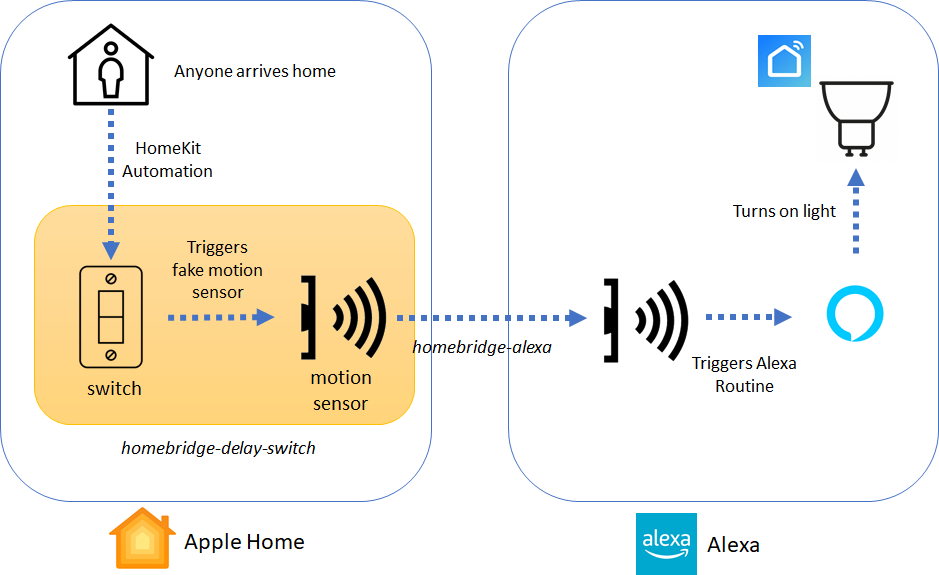
Credit: diylifetech.com
Getting Started With Alexa
Getting started with Alexa is easier than you might think. Whether you just bought your first Echo device or received one as a gift, setting it up correctly is the key to a smooth smart home experience. Let’s walk through the essential steps to get Alexa ready to assist you.
Setting Up Your Device
Begin by placing your Alexa device in a central location where it can easily hear your voice commands. Avoid hiding it inside cabinets or behind furniture, as this can affect its ability to respond.
Plug the device into a power outlet. You’ll see a ring light that indicates it’s powering on and ready for setup.
Connecting To Wi-fi
Your Alexa device needs a stable Wi-Fi connection to work properly. During setup, Alexa will prompt you to select your Wi-Fi network.
Make sure you have your Wi-Fi password handy. If your network is hidden, you’ll need to enter the SSID manually.
Remember, a weak Wi-Fi signal can cause delays or missed commands. Consider placing your router closer or using a Wi-Fi extender if needed.
Downloading The Alexa App
The Alexa app acts as your control center. Download it from the Apple App Store or Google Play Store on your smartphone or tablet.
Once installed, sign in with your Amazon account. This allows Alexa to sync with your preferences and smart home devices.
Within the app, you can manage skills, set routines, and customize your Alexa experience. Have you explored the app’s features yet? It’s worth spending some time there to tailor Alexa to your needs.
Integrating Smart Devices
Integrating smart devices with Alexa transforms your home into a connected space. This integration allows Alexa to control various devices through voice commands or routines. Setting up compatible devices is simple and enhances daily convenience.
Smart Lighting
Smart lighting lets you control your lights with Alexa voice commands. You can turn lights on or off, dim them, or change colors. Many smart bulbs work with Alexa, making it easy to create moods or save energy. Group lights by room for faster control.
Thermostats And Climate Control
Alexa works with smart thermostats to manage your home’s temperature. You can ask Alexa to raise or lower the heat or air conditioning. Some thermostats learn your schedule and adjust automatically. This saves energy and keeps your home comfortable.
Security Systems
Security devices like cameras, alarms, and door locks integrate with Alexa for easy control. You can ask Alexa to show camera feeds or lock doors. Alexa routines can trigger security actions at specific times. This setup adds safety and peace of mind.

Credit: kamonk.in
Creating Routines And Skills
Creating routines and skills with Alexa makes your smart home more useful. Routines let Alexa perform many actions with a single command. Skills add new abilities to Alexa, helping you control devices and access services.
Customizing Daily Routines
Daily routines automate tasks based on your schedule. You can set Alexa to turn on lights, play music, or read news. Routines start with a trigger like a voice command or time of day.
Use the Alexa app to create routines easily:
- Choose a trigger, such as “Good Morning.”
- Add actions like adjusting lights or weather updates.
- Save and test the routine for smooth operation.
Custom routines help simplify daily activities and save time.
Exploring Built-in Skills
Alexa has many built-in skills for home automation. These skills control smart devices, answer questions, and manage media. Built-in skills work immediately without extra setup.
Common built-in skills include:
- Smart light control
- Thermostat adjustment
- Music streaming
- News briefings
Enable built-in skills in the Alexa app to enhance your home’s functionality.
Developing Custom Skills
Custom skills give Alexa unique functions tailored to your needs. You can build skills to control devices or provide specific information. Creating custom skills requires basic coding and use of Alexa Skill Kit.
Steps to develop custom skills:
- Define the skill’s purpose and commands.
- Write code using AWS Lambda or other platforms.
- Test the skill in the Alexa developer console.
- Publish the skill for personal or public use.
Custom skills offer flexibility and personalized home automation options.
Voice Commands And Controls
Voice commands and controls form the heart of Alexa home automation. They let you manage devices easily and quickly. Alexa listens to your words and acts on them. This hands-free control makes daily tasks smoother and faster.
Using simple voice commands, you can turn on lights, play music, or check the weather. Alexa understands natural speech, so no need for exact phrases. Over time, you can explore more complex commands to control multiple devices at once or create routines.
Basic Commands
Start with easy commands to get comfortable with Alexa. Speak clearly and keep commands short. Common examples include:
- “Alexa, turn on the living room light.”
- “Alexa, set the thermostat to 72 degrees.”
- “Alexa, play jazz music.”
- “Alexa, what’s the weather today?”
These commands work with most Alexa-enabled devices. They cover lighting, music, temperature, and information requests. Using basic commands helps you get quick results and build confidence.
Advanced Controls
Advanced controls let you do more with voice commands. You can combine actions into routines. For example, say “Alexa, good morning,” and she can:
- Turn on lights
- Read news headlines
- Start the coffee maker
Alexa also supports custom commands and smart home group controls. You can control multiple devices in one command, like “Alexa, turn off all lights.”
Use the Alexa app to create and manage these advanced controls. It gives you more ways to personalize your home automation experience.
Troubleshooting Common Issues
Sometimes Alexa may not respond correctly. Check these common problems:
- Is the microphone on your device muted?
- Is your Wi-Fi connection stable?
- Are your devices properly connected to Alexa?
- Have you used the correct command phrases?
Restart your Alexa device if it stops working. Re-link smart home devices through the Alexa app if needed. Regular updates keep Alexa running smoothly.
Enhancing Entertainment
Enhancing entertainment with Alexa transforms your home into a hub of effortless enjoyment. Imagine controlling your favorite music, TV shows, and games without lifting a finger. Alexa makes all of this possible by connecting your devices and simplifying your entertainment experience.
Music And Audio Streaming
Alexa lets you stream music from popular services like Spotify, Amazon Music, and Apple Music using just your voice. You can ask Alexa to play specific songs, artists, or playlists in any room where you have Echo devices.
Want to create a party atmosphere or a relaxing background? Simply say, “Alexa, play chill music in the living room,” and the mood is set instantly. You can even group multiple Echo speakers for synchronized audio throughout your home.
Smart Tv And Media Controls
Controlling your smart TV has never been easier. Alexa can turn your TV on or off, change channels, adjust volume, and even launch apps like Netflix or YouTube with voice commands.
For example, you might say, “Alexa, open Netflix on the living room TV,” and your favorite show starts playing without reaching for the remote. If you own a Fire TV or compatible smart TV, Alexa becomes a hands-free remote control, freeing your hands for snacks or other activities.
Gaming With Alexa
Alexa supports interactive games and trivia that can be played alone or with family. You can ask for a quick brain teaser or start a multiplayer quiz night, making entertainment more engaging and social.
Some Alexa-compatible games even integrate with your smart home, allowing you to control lights or sounds as part of the gameplay. How often do you get to combine gaming with smart home convenience?
Future Of Home Automation
The future of home automation with Alexa promises exciting changes. Smart homes will become even smarter, more intuitive, and easier to control. Technology will blend more deeply into daily life, creating seamless experiences. This progress will bring new tools and also some challenges for users and developers alike.
Emerging Technologies
Voice recognition will improve, making Alexa understand better. Artificial intelligence will learn habits to offer smarter suggestions. Devices will connect faster and work together more smoothly. New sensors might monitor health and home safety in real time. Integration with virtual reality could create new ways to interact at home.
Potential Challenges
- Privacy concerns will grow as devices collect more data.
- Security risks increase with more connected devices.
- Compatibility issues may arise between different brands and gadgets.
- Users might find it hard to set up complex systems.
- Dependence on internet connection could limit functionality in outages.
Opportunities For Growth
More affordable smart devices will reach wider audiences. Developers will create apps to customize home automation easily. Alexa could support more languages, helping global users. Energy efficiency will improve, saving money and reducing waste. Partnerships between companies will bring new features and devices.
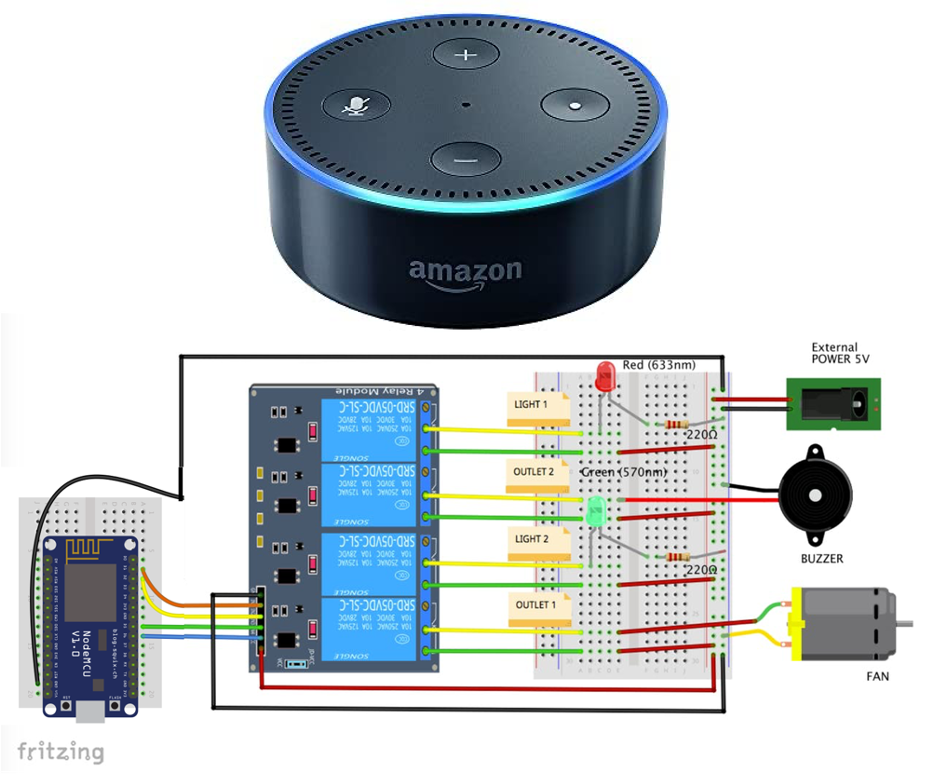
Credit: www.prwe.com
Frequently Asked Questions
How Do I Start Automating My Home With Alexa?
Begin by connecting Alexa to compatible smart devices. Use the Alexa app to discover and control these devices easily. Set up routines for automated actions based on your preferences. This creates a seamless smart home experience controlled by voice commands.
What Devices Work Best With Alexa Home Automation?
Alexa supports smart bulbs, plugs, thermostats, cameras, and locks. Choose devices labeled “Works with Alexa” for smooth integration. Popular brands include Philips Hue, Ring, and Ecobee. These devices offer reliable performance and wide functionality for home automation.
Can Alexa Routines Automate Multiple Devices Simultaneously?
Yes, Alexa routines can control several devices at once. You can create custom routines triggered by time, voice, or device activity. This feature allows you to automate complex actions, like turning off lights and locking doors with one command.
Is Alexa Home Automation Secure And Private?
Alexa uses encryption to protect your data and device commands. You can review and delete your voice recordings anytime through the Alexa app. Always update devices and apps to ensure the latest security features are active.
Conclusion
Automating your home with Alexa saves time and adds comfort. You control lights, locks, and devices with simple voice commands. Setting routines helps your daily tasks run smoothly. Small steps create a smarter, easier living space. Start with basic devices, then expand as you learn.
Enjoy the convenience and safety Alexa brings to your home. Smart living is within your reach today.






