
Imagine walking into a room where the lights turn on just as you enter, creating the perfect atmosphere without you lifting a finger. Sounds convenient, right?
Automating your home lights not only adds comfort but also saves energy and boosts security. If you’ve ever wondered how to make this smart upgrade yourself, you’re in the right place. By the end of this article, you’ll know exactly how to set up your home lighting automation easily and affordably.
Ready to transform your space with just a few simple steps? Let’s dive in.

Credit: www.youtube.com
Benefits Of Automated Home Lighting
Automated home lighting offers more than just convenience. It can transform how you interact with your living space, making everyday routines smoother and more efficient. Understanding the benefits can help you decide if this upgrade fits your lifestyle and home.
Energy Savings And Cost Efficiency
Automated lights can turn off when rooms are empty or adjust brightness based on natural light. This reduces wasted electricity, helping lower your monthly bills. Over time, these savings add up, making your investment worthwhile.
Enhanced Security And Safety
You can set lights to turn on and off at specific times, giving the impression someone is home even when you’re away. This simple trick can deter burglars and increase your home’s security. Automated lighting also helps prevent accidents by illuminating paths or stairs when you need them.
Improved Comfort And Convenience
Imagine walking into a dark room and having the lights turn on automatically. Automated systems learn your habits and adjust lighting to suit your mood or activity without you lifting a finger. This personalized comfort makes your home feel more welcoming.
Customization And Control
You can control your lights from your smartphone, whether you’re on the couch or miles away. This flexibility means you’re never stuck in the dark or worrying about forgotten lights. Plus, you can create different scenes to match your daily routines or special occasions.
Supports Sustainable Living
By using lights only when needed and at optimal brightness, you reduce energy consumption. This small change contributes to lowering your carbon footprint. Would you like your home to be greener without major lifestyle changes?
Choosing The Right Smart Lighting System
Choosing the right smart lighting system is crucial for making your home both functional and energy-efficient. The right choice can simplify your daily routines and enhance your living space’s ambiance. Before investing, you need to understand the options available and how they fit with your existing devices.
Types Of Smart Lights
Smart lighting comes in various forms to suit different needs. You can choose between smart bulbs, which replace your existing bulbs, and smart switches, which control your current lights without changing bulbs.
- Smart Bulbs:Easy to install and offer color-changing options and dimming features.
- Smart Switches:Ideal if you want to control multiple lights from a single switch or keep your current bulbs.
- Smart Light Strips:Perfect for accent lighting and adding mood lighting to rooms.
Think about where you’ll place these lights. Would you prefer controlling individual bulbs or managing whole rooms with switches? Your answer will help narrow down your choices.
Compatibility Considerations
Not all smart lighting systems work seamlessly with every device or platform. Check whether your chosen system supports your smartphone’s operating system, voice assistants like Alexa or Google Assistant, and other smart home gadgets.
For example, if you already use an Apple HomeKit setup, selecting lights compatible with it will save you headaches later. Also, consider the type of wireless connection the system uses—Wi-Fi, Zigbee, or Z-Wave—since this affects range and reliability.
Ask yourself: Will this system integrate smoothly with your current smart home setup? Compatibility will make your lighting automation more intuitive and less frustrating.
Setting Up Your Smart Lighting System
Setting up your smart lighting system transforms your home into a more convenient and energy-efficient space. It involves choosing the right devices and connecting them properly to work seamlessly. Whether you want to control lights from your phone or automate them based on your schedule, the setup process is easier than you might think.
Installing Smart Bulbs
Start by replacing your regular bulbs with smart bulbs. These bulbs fit into standard sockets, so installation is simple—just screw them in like a normal bulb. Once installed, you’ll need to connect them to your home Wi-Fi using the manufacturer’s app.
Make sure your Wi-Fi signal is strong where the bulbs are located. If the signal is weak, the bulbs may not respond reliably. Some smart bulbs also support Bluetooth or Zigbee, which can be a good alternative if Wi-Fi is spotty.
Have you ever struggled with lights that don’t turn on when you want them to? Smart bulbs solve this by letting you control brightness, color, and schedules right from your phone, creating the perfect ambiance instantly.
Connecting Smart Switches
If you prefer to control multiple lights or fixtures with a single switch, smart switches are a great option. Unlike smart bulbs, these replace your existing wall switches and connect to your home network. They allow you to control traditional bulbs remotely or automate them.
Before installation, turn off the power at the circuit breaker to avoid any accidents. Then, carefully remove the existing switch and wire in the smart switch following the instructions. Most smart switches require a neutral wire, so check your home’s wiring beforehand.
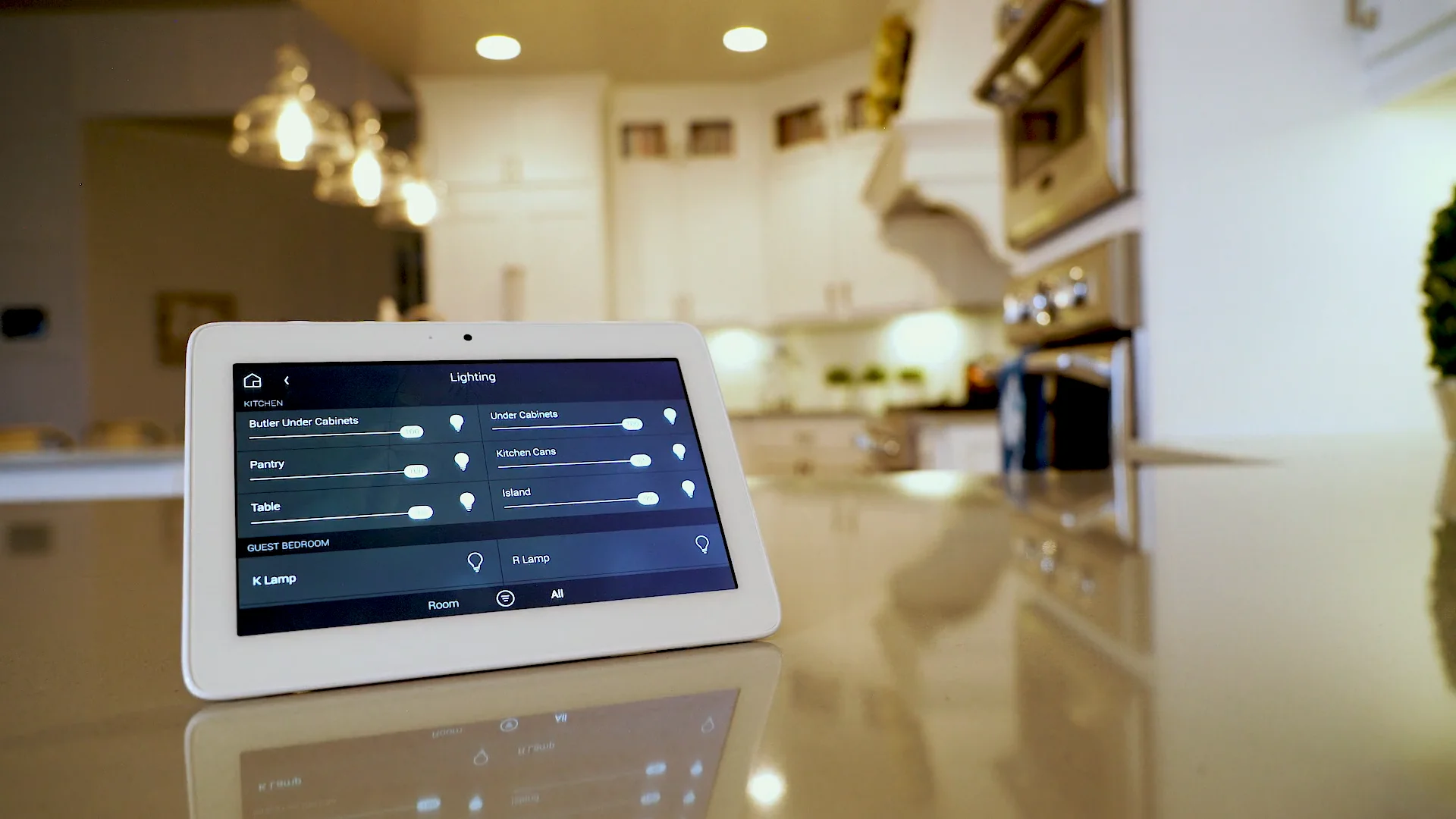
Once installed, link the smart switch to your app or smart home hub. This setup enables voice control and integration with other devices. Imagine turning off all your home lights with a single command as you leave—how much easier would that make your routine?
Credit: www.control4.com
Configuring Smart Light Controls
Configuring smart light controls is essential for a smooth home automation experience. It lets you manage your lights easily and create a comfortable environment. Smart controls bring convenience and energy savings to your daily routine. Setting up these controls requires simple steps that anyone can follow.
Using Mobile Apps
Mobile apps are the main tool for controlling smart lights. These apps connect your phone to the lights through Wi-Fi or Bluetooth. You can turn lights on or off, change colors, and adjust brightness from anywhere.
Most apps include features like:
- Scheduling lights to turn on or off at set times
- Grouping multiple lights for simultaneous control
- Setting mood scenes with different colors and brightness
The user interface is simple. Tap icons or sliders to change settings. Notifications can remind you about lights left on. Apps also allow firmware updates to keep devices secure.
Voice Command Options
Voice commands offer hands-free control of smart lights. Virtual assistants like Alexa, Google Assistant, and Siri work with most smart bulbs. Speak simple commands to manage your lighting.
Examples of commands include:
- “Turn on the living room lights.”
- “Dim the bedroom lights to 50%.”
- “Change the kitchen lights to blue.”
Voice control adds speed and ease, especially when your hands are full. It also supports routines, where multiple actions trigger by one command. Setting up voice commands involves linking your smart lights to the assistant app.
Creating Lighting Schedules
Creating lighting schedules helps your smart home lights work automatically. You can control when lights turn on or off without manual effort. This saves energy and adds comfort to daily routines.
Setting schedules lets you match lighting to your lifestyle. It also improves home security by making your house look occupied at night.
Setting Up Timers
Timers allow lights to switch on or off at specific times. Use your smart home app to create these timers easily. For example, set lights to turn on at sunset and off at bedtime.
Many smart bulbs have built-in timer features. Adjust them according to your daily schedule. Timers help reduce electricity use by avoiding lights left on too long.
- Choose the room or light to control
- Pick the on and off times
- Save the timer and test it
Automated Scenes
Scenes group multiple lights and settings into one command. You can create scenes for different moods or activities. For example, a “Movie Night” scene dims living room lights automatically.
Set scenes to activate at certain times or with smart assistants. Scenes make your lighting flexible and easy to control. They add a personal touch without pressing many buttons.
- Select lights to include in the scene
- Adjust brightness and color for each light
- Schedule the scene or trigger with a voice command

Credit: www.facebook.com
Integrating With Other Smart Devices
Integrating smart lights with other devices creates a seamless home experience. It allows lights to react to different triggers and routines. This integration boosts convenience and energy efficiency. Smart devices can communicate to make your home more responsive and comfortable.
Connecting To Smart Hubs
Smart hubs act as the central control for various devices. They link smart lights with sensors, cameras, and switches. Using a hub simplifies managing multiple devices from one place. Many hubs support popular brands, ensuring wide compatibility.
- Choose a hub compatible with your smart lights.
- Follow the hub’s app instructions to add your lights.
- Create automation rules, like turning lights on at sunset.
- Use schedules to save energy and enhance security.
Hubs often support multiple protocols like Zigbee or Z-Wave. This ensures smooth communication between devices. A smart hub makes your home automation system easy to control and expand.
Syncing With Smart Assistants
Smart assistants allow voice control of your home lights. They work with devices like Amazon Alexa, Google Assistant, or Apple Siri. Voice commands add hands-free convenience and quick control.
- Connect your smart lights to the assistant’s app.
- Enable the relevant skill or service for your lights.
- Use simple voice commands to turn lights on or off.
- Create voice routines to adjust lights with other devices.
Smart assistants can also respond to schedules and sensors. This makes your lighting system more intelligent and user-friendly. Syncing lights with assistants helps create a smarter home environment.
Troubleshooting Common Issues
Troubleshooting common issues can make home light automation easier. Understanding typical problems saves time and frustration.
Simple checks often fix most issues quickly. Knowing what to test helps keep lights working smoothly.
Connectivity Problems
Connectivity issues stop smart lights from responding. Poor Wi-Fi signals cause most problems.
- Move your router closer to lights or use a Wi-Fi extender.
- Restart the router to refresh the network connection.
- Check if the smart bulb is within the Wi-Fi range.
- Confirm your network password is correct in the app.
- Update the firmware of your smart light and router.
Interference from other devices also disrupts signals. Keep lights away from microwaves or cordless phones.
App Control Failures
App control failures prevent changes to light settings. Often, the app or phone causes these issues.
- Close and reopen the app to reset the connection.
- Ensure the app is updated to the latest version.
- Restart your smartphone or tablet to clear temporary bugs.
- Log out and log back into the smart light app.
- Check if the app has permission to access local network.
Sometimes, uninstalling and reinstalling the app solves hidden errors.
Enhancing Security With Smart Lighting
Enhancing security with smart lighting is one of the smartest moves you can make for your home. Lights that respond to movement or change based on your routine can deter unwanted visitors and give you peace of mind. This isn’t just about convenience—it’s about creating a safer environment around your home, especially during nighttime or when you’re away.
Using Motion Sensors
Motion sensors trigger your lights to turn on only when movement is detected. This surprises potential intruders and makes it clear someone is home or watching the property.
You can place these sensors near entry points like doors, garages, or driveways. When someone approaches, the sudden light can discourage them from lingering.
Think about your own experience—have you ever been startled by a light coming on unexpectedly? That moment of surprise can stop trouble before it starts.
Simulating Presence
Lights that turn on and off at different times can create the illusion that someone is home even when you’re away. This simple trick can confuse potential burglars who often scout for empty houses.
You can set your smart lights to mimic your usual routines, such as turning on the living room light in the evening or the porch light at dusk.
Ask yourself: if you were casing a house, would a random pattern of lights make you think twice? Smart lighting can help you protect your home by making it look lived-in at all times.
Frequently Asked Questions
What Are The Best Smart Bulbs For Automating Home Lights?
Smart bulbs like Philips Hue, LIFX, and TP-Link offer reliable automation. They provide easy app control, voice compatibility, and customizable settings. Choose bulbs based on brightness, color options, and compatibility with your home system.
How Do I Set Up A Home Lighting Automation System?
Start by choosing smart bulbs or switches compatible with your hub. Connect devices to your Wi-Fi network and use the app to create schedules and scenes. Test automation triggers like motion sensors or voice commands for seamless control.
Can I Automate Home Lights Without A Smart Hub?
Yes, many smart bulbs connect directly to Wi-Fi or use Bluetooth. These bulbs can be controlled via smartphone apps or voice assistants without extra hubs. However, hubs offer more advanced automation and integration options.
What Are Common Triggers For Automated Home Lighting?
Common triggers include motion detection, time schedules, sunset/sunrise, and voice commands. These triggers help save energy and enhance convenience by turning lights on or off automatically based on your preferences.
Conclusion
Automating home lights brings ease and saves energy daily. You control lighting from anywhere with just a tap. Setting schedules helps lights turn on and off automatically. It creates a safer home by simulating presence when away. Smart lighting fits many budgets and simple setups.
Start small and expand your system over time. Enjoy comfort and convenience without extra effort. Home automation makes life a bit brighter and easier.






