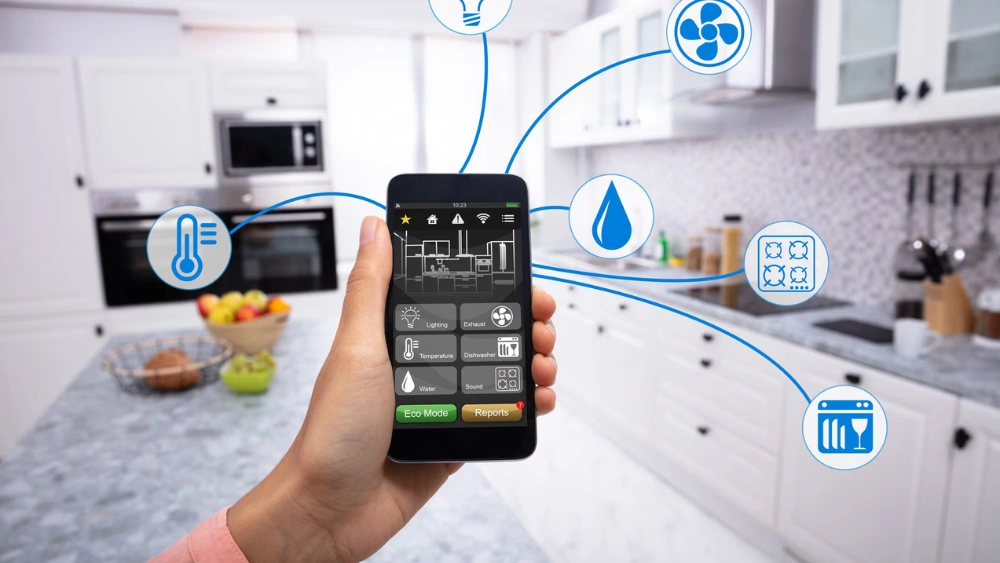
Imagine controlling your lights, security cameras, and even your thermostat with just a tap on your phone. Setting up a home automation system can make your life easier, safer, and more comfortable.
If you’ve ever wondered how to get started but felt overwhelmed, you’re in the right place. This guide will walk you through simple steps to set up your own smart home system, no tech skills needed. Ready to transform your living space and save time every day?
Let’s dive in!
Choosing The Right Devices
Choosing the right devices for your home automation system can make all the difference between a smooth, efficient setup and a frustrating experience. Picking gadgets that fit your lifestyle and technical comfort ensures you get the most out of your smart home. Think about how each device will serve your daily needs and how easily you can control and integrate them.
Popular Smart Home Gadgets
Start by considering some of the most common smart home devices that people find useful:
- Smart Speakers:Devices like Amazon Echo or Google Nest provide voice control for your entire system.
- Smart Lights:Philips Hue and LIFX bulbs let you adjust brightness and colors from your phone.
- Smart Thermostats:Nest and Ecobee help you save energy by learning your schedule.
- Security Cameras:Ring and Arlo keep an eye on your home with real-time alerts.
These gadgets offer a solid foundation, but consider which ones match your daily routine and comfort level with technology.
Compatibility Considerations
One key factor often overlooked is device compatibility. You want your smart devices to communicate seamlessly through a central hub or app. Check whether your chosen gadgets work with your preferred ecosystem—Apple HomeKit, Google Assistant, or Amazon Alexa.
For example, if you already use an iPhone, HomeKit-compatible devices might provide smoother control. Also, think about the communication protocols like Wi-Fi, Zigbee, or Z-Wave, as mixing incompatible protocols can complicate your setup.
Budget-friendly Options
Setting up a smart home doesn’t have to break the bank. Many brands offer affordable alternatives that still perform well. Wyze, for instance, produces budget-friendly cameras and sensors without sacrificing quality.
Look for starter kits that bundle essential devices at a discount. This can be a smart way to experiment without investing heavily upfront. Which devices do you really need, and which ones can wait until your budget allows?
Planning Your Network
Planning your network is a key step in setting up a home automation system. It ensures all devices communicate smoothly and reliably. A well-planned network avoids connection drops and slow responses in your smart home.
Think about how your devices will connect to the internet and to each other. Choose the right connection type and place your router where it serves the whole house. Strong security protects your system from unauthorized access.
Wi-fi Vs. Wired Connections
Wi-Fi offers convenience and easy installation. Devices connect without cables and can move freely. Yet, Wi-Fi signals can weaken through walls or over long distances. This causes delays or drops.
Wired connections use Ethernet cables. They provide faster and more stable links. Ideal for devices needing constant, strong signals like smart hubs or security cameras. Combine both to balance speed and flexibility.
Router Placement Tips
Position your router in a central spot. This spreads the Wi-Fi signal evenly across rooms. Avoid placing it near thick walls or metal objects that block signals. Keep the router off the floor and away from other electronics.
- Place the router high, like on a shelf.
- Open spaces improve signal reach.
- Limit interference from microwaves and cordless phones.
Enhancing Network Security
Secure your home automation network to protect your privacy. Change default router passwords and use strong, unique ones. Enable WPA3 or WPA2 encryption for Wi-Fi security. Regularly update router firmware to fix vulnerabilities.
Set up a separate guest network for visitors. This keeps your smart devices isolated. Turn off remote management unless needed. Use two-factor authentication if your smart devices support it.
Central Control Systems
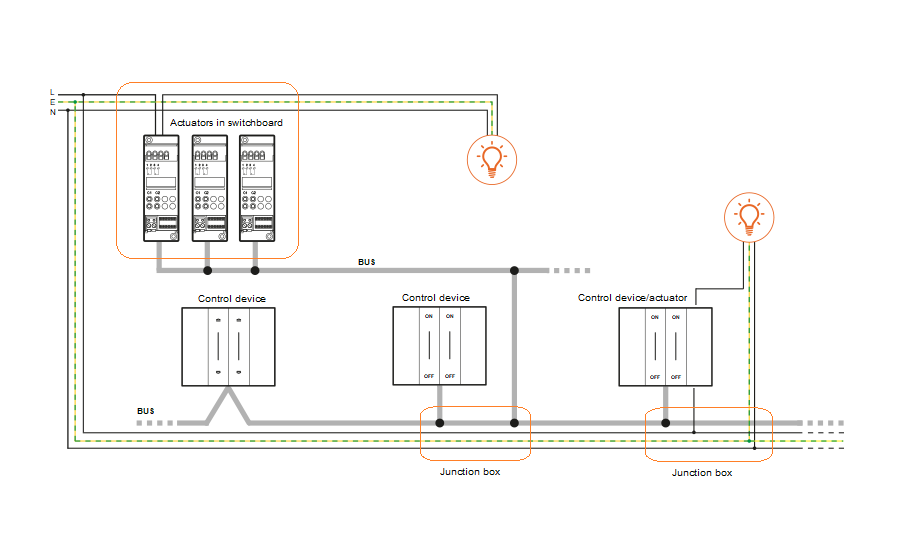
Central control systems serve as the brain of a home automation setup. They connect and manage all smart devices in your home. This system simplifies control by bringing everything under one platform. It helps make your daily routines easier and more efficient. Choosing the right central control system is key for smooth operation and scalability.
Smart Hubs Explained
Smart hubs link all smart devices into one network. They act as a communication center for lights, locks, thermostats, and more. Most hubs support multiple device brands and protocols. This compatibility allows you to add new devices without trouble. Hubs often include automation features for scheduled actions. They reduce the need for multiple apps, centralizing control.
Voice Assistants Integration
Voice assistants add hands-free control to your home. Popular options include Amazon Alexa, Google Assistant, and Apple Siri. They connect easily to most smart hubs and devices. You can turn on lights, adjust temperature, or play music by speaking. Voice commands offer quick access without using a phone. This feature adds convenience for all family members.
App Control Features
Apps provide remote control of your home automation system. They allow you to monitor and manage devices from anywhere. Key features include:
- Device status updates
- Real-time alerts and notifications
- Customizable scenes and automation
- Energy usage tracking
Apps often feature intuitive interfaces to simplify control. They help you stay connected and keep your home secure. Regular app updates add new functions and improve usability.
Credit: www.bticino.com
Setting Up Automation Routines
Setting up automation routines is the heart of a smart home system. It transforms your devices from simple gadgets into a coordinated team that works for you. By creating specific routines, you ensure your home responds to your lifestyle seamlessly and efficiently.
Daily Task Automation
Think about the tasks you repeat every day. Automating these can save you time and reduce hassle.
- Set your coffee maker to start brewing when your morning alarm goes off.
- Program lights to turn on gradually as you wake up, simulating sunrise.
- Schedule your robot vacuum to clean while you’re at work.
These small automations add up and can free you from mundane chores. What daily task would you automate first?
Energy Efficiency Strategies
Smart automation can drastically cut your energy usage. You can control when and how your devices consume power.
- Use motion sensors to switch off lights in empty rooms.
- Set your thermostat to lower temperatures during the night or when you’re away.
- Automate window blinds to close during peak sunlight to reduce cooling costs.
Tracking your energy use through automation apps can also highlight new saving opportunities. Could your home be smarter about energy?
Security Alerts And Monitoring
Security routines keep you informed and prepared without constant checking.
- Receive instant alerts if doors or windows open unexpectedly.
- Set cameras to record only when motion is detected to save storage and battery.
- Schedule lights to turn on randomly when you’re away to deter intruders.
Automation lets you monitor your home from anywhere, adding peace of mind. How often do you check on your home while you’re out?
Troubleshooting Common Issues
Setting up a home automation system can sometimes lead to unexpected hiccups. Troubleshooting common issues quickly ensures your smart home stays efficient and stress-free. Let’s look at practical ways to solve problems that often arise during setup and daily use.
Connectivity Problems
Connectivity issues are the most frequent obstacle in home automation. Devices might not connect to Wi-Fi or lose connection intermittently. Start by checking your router’s signal strength in the area where devices are installed. Moving your router or adding a Wi-Fi extender can make a big difference.
Also, verify that your devices support the same network frequency—2.4 GHz or 5 GHz—as some smart devices only work on 2.4 GHz. Have you ever found a device offline despite a strong Wi-Fi signal? Sometimes, resetting the device or router helps clear hidden network conflicts.
Device Malfunctions
Devices may stop responding or behave unpredictably. This could be due to power issues, hardware faults, or incorrect setup. Make sure devices are plugged in properly and batteries are fresh.
Try unplugging the device for a minute and plugging it back in. This simple step often resolves temporary glitches. If a device consistently malfunctions, check the manufacturer’s support forums. You might find others with the same problem and tailored fixes.
Software Updates And Maintenance
Keeping your home automation software updated is crucial for smooth operation and security. Ignoring updates can cause incompatibility between devices or expose your system to vulnerabilities.
Set your apps and devices to update automatically if possible. If not, schedule regular checks for new firmware or app versions. A good practice is to review update notes to understand what changes are made and how they affect your system.
Have you ever skipped an update only to face bigger problems later? Staying on top of maintenance saves you time and frustration in the long run.

Credit: ojasvit.in
Future-proofing Your Smart Home
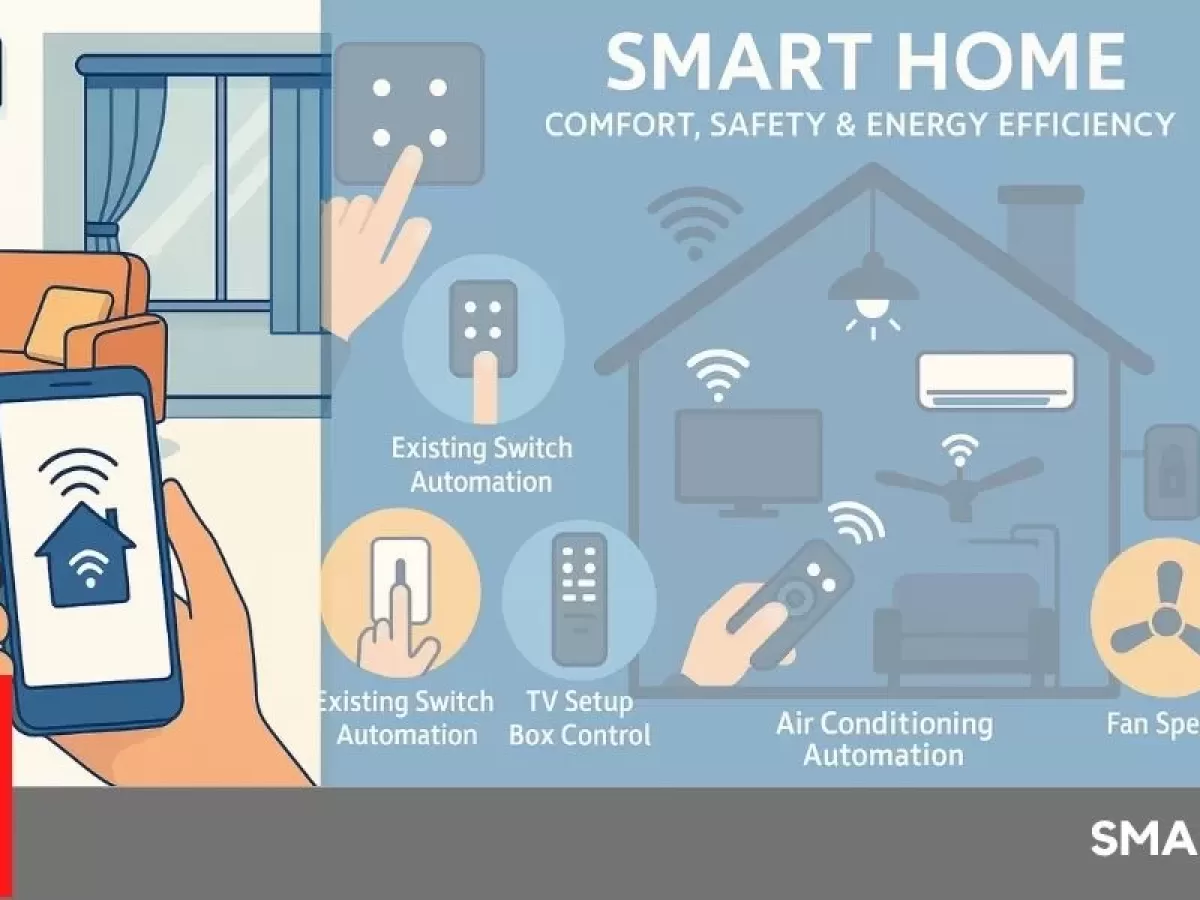
Future-proofing your smart home ensures it stays useful and efficient for years. Technology changes fast, so a flexible system keeps up with new devices and trends. Planning ahead saves money and effort later. It also improves comfort and security as your needs evolve.
Expanding Your System
Start with devices that work with many brands and platforms. Choose hubs and apps that support multiple products. Wireless systems like Wi-Fi and Zigbee allow easy additions. Avoid closed systems that limit new devices. Keep wiring simple and accessible for future upgrades.
Emerging Technologies
Watch for smart home trends such as voice assistants, AI, and edge computing. These tools make automation smarter and faster. Integrate security cameras with AI for better monitoring. Use smart sensors that learn your habits. Plan your system to add these features without rewiring.
Sustainability Considerations
Select energy-efficient devices with good ratings. Use smart thermostats to reduce heating and cooling waste. Choose solar-compatible systems or those that work with renewable energy. Recycle old gadgets properly. Sustainable choices lower bills and help the environment.
Credit: www.atss.in
Frequently Asked Questions
What Are The Basic Components Of A Home Automation System?
A home automation system includes smart devices, a central hub, and a control app. Devices like lights, thermostats, and cameras connect to the hub. The hub manages device communication and automation rules. The control app allows easy system management from smartphones or tablets.
How Do I Start Setting Up A Home Automation System?
Begin by choosing a compatible smart hub and devices. Install devices in key areas like living rooms or entrances. Connect devices to your home Wi-Fi and sync them with the hub. Use the app to configure automation routines for convenience and security.
Can I Integrate Voice Assistants With Home Automation?
Yes, most home automation systems support voice assistants like Alexa or Google Assistant. Integrate them to control devices hands-free using voice commands. This enhances user experience and accessibility. Voice control simplifies managing lighting, security, and climate settings.
Is Home Automation System Installation Diy-friendly?
Many home automation setups are designed for DIY installation. Smart devices often come with easy-to-follow instructions and apps. However, complex systems or electrical work may require professional help. Always ensure device compatibility and follow safety guidelines during installation.
Conclusion
Setting up a home automation system is easier than it seems. Start small and add devices step by step. Choose tools that fit your needs and budget. Keep security in mind to protect your data. Enjoy the comfort and convenience automation brings daily.
Soon, your home will respond to your lifestyle. Give yourself time to learn and adjust settings. This smart setup can save energy and time. Your home becomes safer and more comfortable too. Try it today and see the difference yourself.






