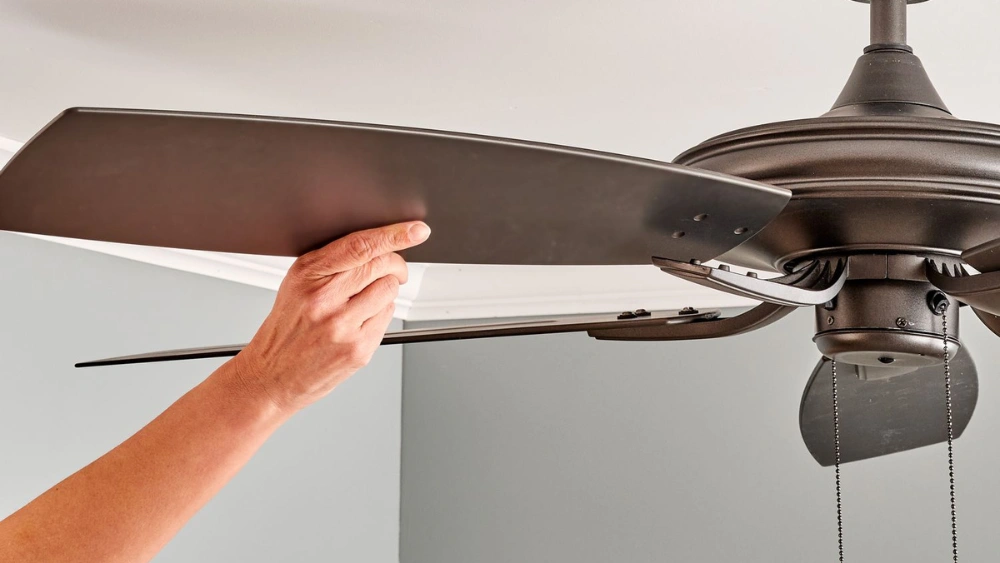
Is your ceiling fan wobbling every time it spins? That annoying shake can be more than just a distraction—it might be a sign of a problem that could get worse if ignored.
You don’t have to live with the wobble or call a costly repair service right away. In this guide, you’ll discover simple, step-by-step fixes you can try yourself to stop the wobble and get your fan running smoothly again. Keep reading, and by the end, you’ll know exactly how to bring balance back to your ceiling fan—and your room.

Credit: www.youtube.com
Identify The Source Of Wobble
Before you can fix a ceiling fan wobble, you need to find out exactly what’s causing it. Wobbling usually happens because some parts are loose or unbalanced. Taking a close look at key areas will help you spot the problem quickly and save you unnecessary work.
Check For Loose Screws
Start by examining all the screws holding your fan together. Loose screws on the blades, blade arms, or the mounting bracket can cause noticeable wobbling. Use a screwdriver to gently tighten each screw — but avoid overtightening, which could strip the threads.
Don’t forget to check the screws securing the fan to the ceiling. Sometimes, the whole fan unit shifts because these are loose. Tightening these screws can often stop the wobble immediately.
Inspect Blade Arms
The blade arms connect the blades to the motor, and even a small bend can cause imbalance. Look closely at each arm to see if any are bent or damaged.
Try spinning the fan by hand and watch if any blade arms move differently than others. If you find a bent arm, you can carefully straighten it or replace it altogether. This simple fix can make your fan spin smoothly again.
Balance The Fan Blades
Balancing fan blades is key to stopping a ceiling fan wobble. Uneven blades cause the fan to shake and make noise. Proper balance helps the fan run smoothly and quietly. It also prevents wear and tear on the motor.
Balancing needs simple tools and a bit of patience. Two common ways include using a balancing kit or adjusting blade weights. Both methods target the same problem: uneven blade weight or shape. Let’s explore how to balance your fan blades effectively.
Use A Balancing Kit
A balancing kit usually comes with small clips and adhesive weights. The clips attach to the blades to find the heavy spot. Start by turning off the fan and attaching a clip to one blade near the tip. Turn the fan on low speed and watch for wobble changes. Move the clip to different blades and positions until wobble lessens.
Once you find the best spot, stick a small weight on the blade’s top side. Remove the clip and test the fan again. Repeat if needed until the wobble stops. Balancing kits are cheap and easy to use for most fans.
Adjust Blade Weights
Some fans have uneven blade weights from the factory or wear. You can fix this by adding or removing weight carefully. Use small pieces of tape or adhesive putty on the blades. Place weights on the opposite side of the wobbling blade to balance it out.
Test the fan each time you adjust. Add or remove weight in small steps to avoid over-correcting. This method works well when blades are slightly bent or if balancing kits don’t fully fix the wobble.
Tighten Mounting Bracket
The mounting bracket holds the ceiling fan securely to the ceiling. A loose bracket often causes the fan to wobble. Tightening this part can stop the shaking and make the fan stable. Check the bracket for any loose screws or misalignment. Fixing these issues helps the fan run smoothly and safely.
Secure The Screws
Look closely at the screws on the mounting bracket. Use a screwdriver to tighten all of them firmly. Do not over-tighten, as this can strip the screws or damage the ceiling. Make sure every screw feels snug and secure. Loose screws let the fan move and wobble during use.
Ensure Proper Alignment
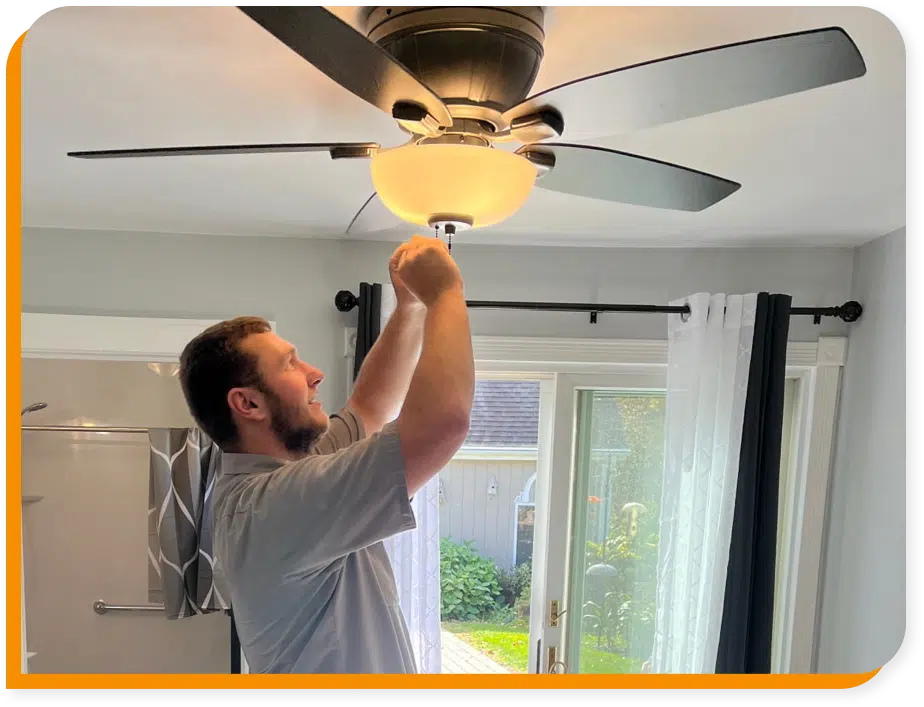
The mounting bracket must sit evenly on the ceiling. Check that it is straight and flush against the surface. Adjust the bracket if it tilts or hangs unevenly. Misalignment causes the fan blades to be off balance. Correct positioning reduces wobbling and improves fan performance.
Credit: calloverthemoon.com
Examine Downrod Connection
The downrod connection plays a key role in a ceiling fan’s stability. It links the fan motor to the mounting bracket on the ceiling. If this connection is loose or damaged, the fan may wobble during operation. Carefully checking the downrod connection can often solve the wobbling issue.
Start by examining how the downrod attaches to the fan motor and the ceiling bracket. Any looseness or misalignment can cause the fan to shake. Tightening or adjusting these parts usually improves the fan’s balance and smoothness.
Verify Downrod Securement
Check the screws and bolts securing the downrod to the fan motor. They must be tight and firm. Use a screwdriver or wrench to gently tighten any loose fasteners.
- Look for signs of wear or damage on the downrod threads.
- Make sure the downrod sits fully inside the motor’s mounting cup.
- Confirm the locking pin or clip is in place and secure.
Proper securement prevents unwanted movement and ensures the fan spins evenly.
Inspect Ball Socket Joint
The ball socket joint connects the downrod to the ceiling bracket. It allows the fan to hang straight and absorb minor movements.
- Check the ball joint for cracks or wear that might cause instability.
- Ensure the socket fits tightly around the ball without excessive play.
- Look for any debris or buildup that could interfere with smooth movement.
A tight, well-maintained ball socket joint reduces wobble and keeps the fan steady.
Check Electrical Box Stability
Checking the electrical box stability is important to stop a ceiling fan from wobbling. The electrical box holds the fan and supports its weight. If it is loose or weak, the fan will move and wobble during operation. Ensuring the box is stable creates a firm base for the fan, reducing unwanted motion.
Start by inspecting the electrical box closely. Look for cracks, loose screws, or any signs of damage. The box should be securely fastened to a ceiling joist or support bracket. A shaky or loose box needs immediate attention to keep the fan steady.
Test Box Firmness
Gently try to move the electrical box by hand. It should not shift or wiggle. Use a screwdriver to check if the mounting screws are tight. If the box feels loose or moves easily, it can cause fan wobble. Tighten any loose screws and test firmness again.
Another way to test firmness is by lightly pulling on the fan’s mounting bracket. The box should hold firm without any give. If it moves, the box is not stable enough for the fan’s weight and motion.
Reinforce If Necessary
If the electrical box is loose, reinforce it before reinstalling the fan. Use a fan-rated electrical box designed to support heavy fans. Standard boxes may not hold the fan securely.
Reinforce the box by adding a support brace between ceiling joists. You can use a metal brace or a wooden block to strengthen the mounting point. This helps hold the box tight and reduces wobble.
Replace damaged or worn screws with longer, sturdier ones. Check all connections and tighten them firmly. A well-reinforced electrical box stops fan wobble and improves safety.

Credit: www.dreo.com
Lubricate Moving Parts
Lubricating the moving parts of a ceiling fan reduces friction and noise. It helps the fan spin smoothly and can fix minor wobbling issues. Regular lubrication keeps the motor and blades working well. This simple step can extend the life of your fan and improve its performance.
Apply Lubricant To Motor
Start by turning off the fan and cutting power. Locate the motor housing where the fan blades connect. Use a few drops of light machine oil or a lubricant made for ceiling fans. Avoid heavy oils or grease as they attract dust. Apply the lubricant carefully to the motor shaft and bearings. Spin the blades by hand to spread the oil evenly. Wipe away any excess lubricant to prevent dripping.
Ensure Smooth Operation
After lubrication, turn the fan on at low speed. Listen for any unusual sounds like grinding or squeaking. The fan should run quietly and smoothly. Check the wobble by watching the blades closely. If it still wobbles, check blade balance and tightening screws. Repeat lubrication every six months or as needed to keep your fan in top shape.
Test Fan Performance
Testing your ceiling fan’s performance after adjustments is crucial. It confirms if the wobble issue is resolved. This step ensures the fan runs smoothly and safely. Pay close attention to how the fan operates during this test. Notice both movement and sound as key indicators of performance.
Observe For Continued Wobble
Turn the fan on at low speed first. Watch the blades closely. Check if the wobble persists or lessens. Move around the room to see the fan from different angles. A steady fan shows no visible shaking or shaking very little. If wobbling continues, further balancing or tightening is needed.
Evaluate Noise Levels
Listen carefully to the fan’s sound while running. A well-balanced fan runs quietly with a soft humming noise. Scraping, rattling, or clicking sounds mean parts may be loose. These noises can signal imbalance or damaged components. Quiet operation means the fan is stable and working properly.
Frequently Asked Questions
What Causes A Ceiling Fan To Wobble?
A ceiling fan wobbles due to unbalanced blades, loose screws, or an improper installation. Dust buildup and bent blades can also cause wobbling.
How Can I Balance Ceiling Fan Blades Easily?
Use a blade balancing kit or attach small weights to blades to balance them. Ensure all blades are aligned and tightened properly.
Can Loose Screws Cause Fan Wobbling?
Yes, loose screws on blades or mounting brackets can cause wobbling. Tighten all screws to secure the fan firmly.
Is Blade Alignment Important For Fan Stability?
Proper blade alignment is crucial. Misaligned blades create uneven airflow, causing the fan to wobble. Check and adjust blades for even spacing.
Conclusion
Fixing a ceiling fan wobble helps your fan work better and last longer. Tightening screws and balancing blades often solve the problem. Clean blades and check for loose parts regularly. Small steps make a big difference in fan stability. A steady fan improves comfort and safety in your home.
Keep these tips handy for quick fixes anytime. Enjoy a quiet and smooth-running ceiling fan every day.






