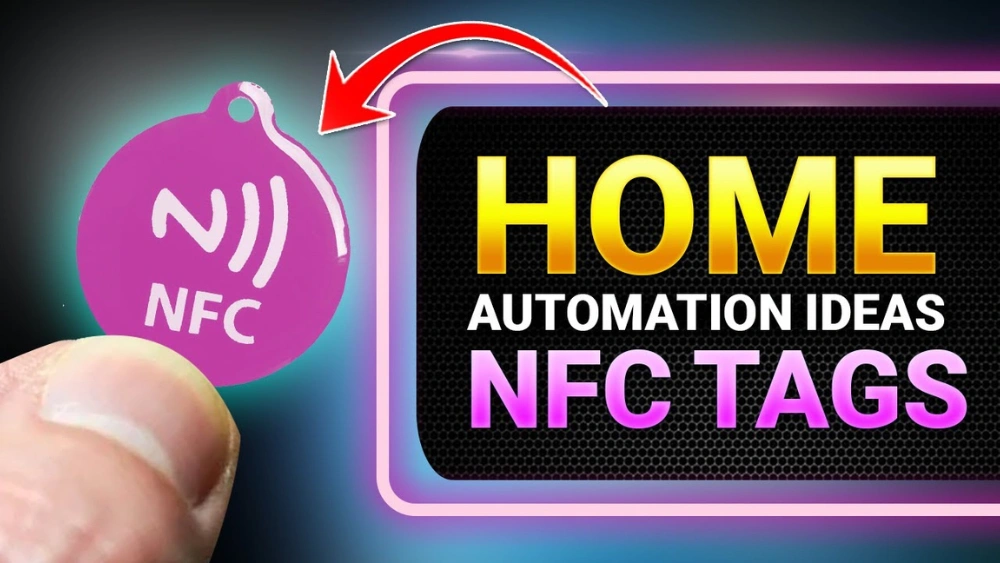
Imagine controlling your entire home with just a simple tap. Sounds like magic, right?
With NFC tags, this can be your reality. You don’t need to be a tech expert or spend a fortune on fancy gadgets. Just a few small tags placed around your home can unlock powerful automation that makes your life easier and more comfortable.
Ready to discover how you can transform your living space with this simple trick? Keep reading, and you’ll learn exactly how to use NFC tags for home automation step by step.

Credit: www.rfidlabel.com
Nfc Tags Basics
NFC tags are small, simple tools that help automate tasks at home. They store data and share it with devices nearby. This technology makes daily routines easier and faster. Understanding the basics of NFC tags is key to using them well in home automation.
What Are Nfc Tags?
NFC tags are tiny chips that hold information. They are passive, meaning they do not need power to work. When a smartphone or reader comes close, the tag sends its stored data. People use these tags for quick actions like opening doors or turning on lights.
How Nfc Technology Works
NFC stands for Near Field Communication. It uses radio waves to send information between two devices. The devices must be very close, usually within a few centimeters. This close range keeps the communication safe and private. One device powers the tag, which then sends data back.
Types Of Nfc Tags
NFC tags come in different types. Each type has its own memory size and speed. Choosing the right one depends on the task you want to automate. Here are some common types:
- Type 1: Simple, low memory, good for basic commands.
- Type 2: More memory, faster, used in many smart tags.
- Type 3: Larger memory, often used for complex data.
- Type 4: High security and memory, works with many devices.
Benefits Of Nfc Tags In Home Automation
NFC tags bring several powerful benefits to home automation that can change the way you interact with your living space. They offer more than just a tech upgrade—they simplify daily routines, boost your home’s security, and save you money.
Convenience And Efficiency
NFC tags let you control multiple devices with a simple tap from your smartphone. Imagine walking into your home and instantly turning on lights, adjusting the thermostat, and playing your favorite playlist without opening any apps.
You can place tags in strategic spots like near the front door or bedside table. This setup reduces the time spent fiddling with multiple controls and makes automation accessible to everyone in your household.
Enhanced Security
NFC tags can add an extra layer of security by allowing only authorized users to activate certain functions. For example, you can program a tag to disarm your security system or unlock smart locks, but only when your phone is tapped.
This means you avoid sharing codes or keys, reducing the risk of unauthorized access. Plus, since NFC works at close range, accidental triggers or hacking attempts from a distance are highly unlikely.
Cost-effectiveness
NFC tags are inexpensive compared to many other home automation tools. You don’t need to invest in costly hubs or complicated equipment to get started.
Also, by automating tasks such as turning off lights or appliances when not in use, you can lower your utility bills. Over time, these small savings add up and justify the initial investment in NFC technology.
Setting Up Nfc Tags For Home Automation
Setting up NFC tags for home automation is simple and efficient. You can control many smart devices with just a tap. The setup involves choosing the right tags, configuring them, and linking them to your smart home gadgets. Let’s explore each step clearly.
Choosing The Right Nfc Tags
Select NFC tags that fit your needs and environment. Tags come in various sizes and memory capacities. Look for tags that are compatible with your smartphone or NFC reader. Durable tags work best in places exposed to moisture or heat. Some common types include:
- NTAG213 – good for simple commands and short data
- NTAG215 – more memory for complex setups
- NTAG216 – highest memory, ideal for advanced uses
Choose tags with enough memory for your automation tasks. Also, consider how easy it is to stick or place the tag in your home.
Configuring Nfc Tags
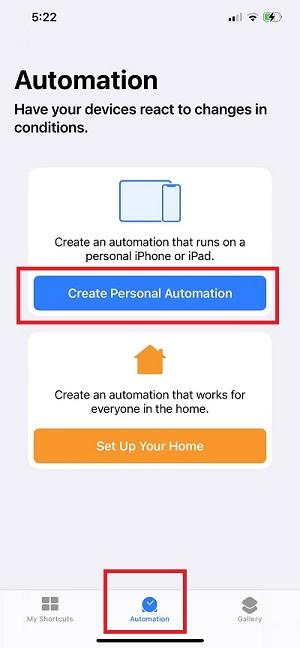
Configuring NFC tags requires an NFC-enabled phone or tablet. Use a reliable app designed for writing NFC tags. Popular apps let you program commands or URLs into the tags. Common options include:
- Opening a smart light control app
- Triggering a scene in your smart home system
- Setting alarms or reminders
Follow these steps in the app:
- Launch the app and select “Write Tag”
- Enter the desired command or link
- Hold your phone near the NFC tag to write
Test the tag by tapping your phone against it. Make sure it triggers the correct action.
Integrating With Smart Home Devices
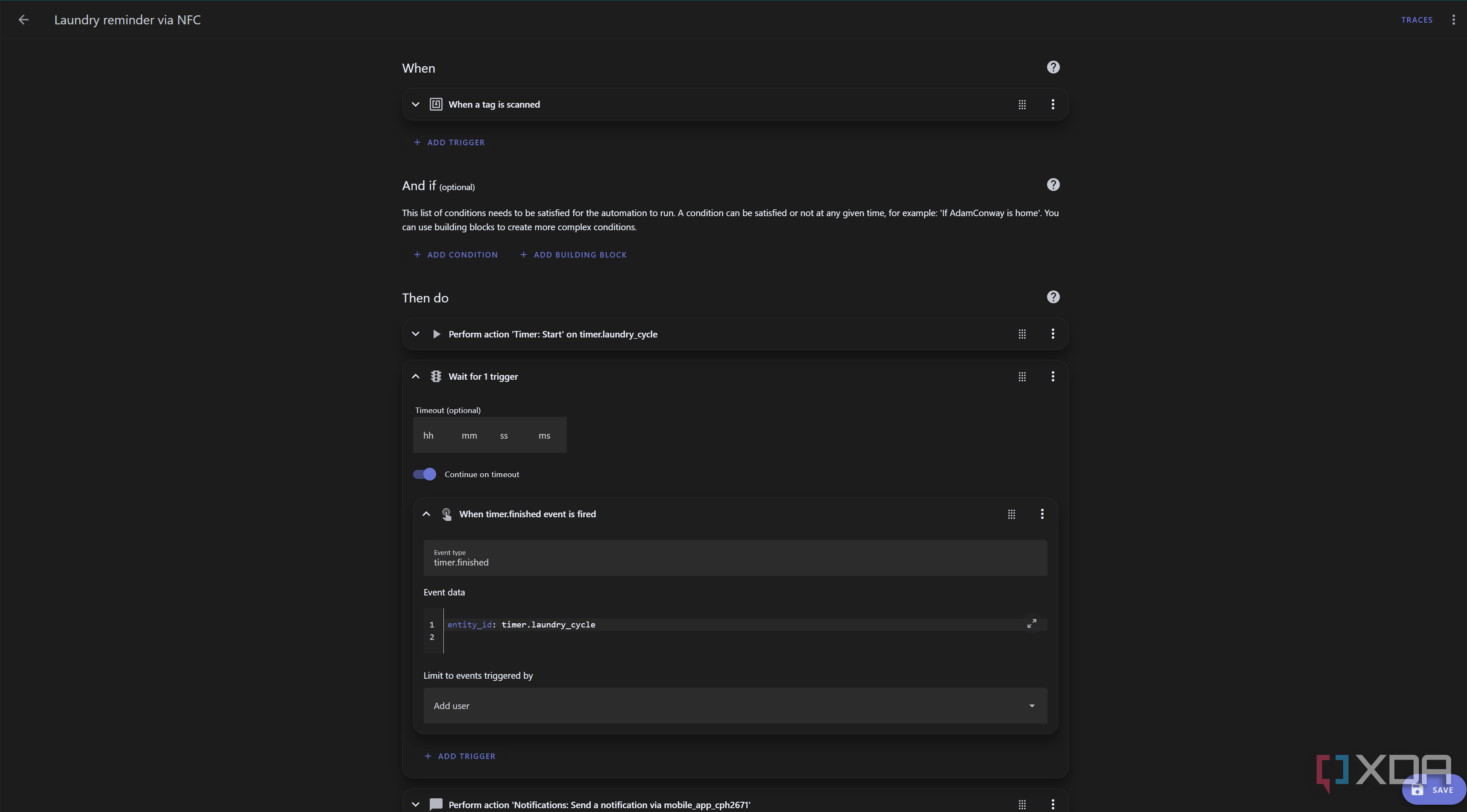
Link NFC tags to your smart home devices for seamless control. Many smart home platforms support NFC triggers. Use apps like Google Home, Apple HomeKit, or Samsung SmartThings. Connect your device and set actions triggered by NFC tags.
Examples of integrations:
- Turn on lights in a room
- Adjust thermostat settings
- Play music on a smart speaker
- Open smart locks
Use automation apps to link NFC tags with multiple devices. Assign unique commands to each tag for easy access. Place tags in convenient spots like doors, bedside tables, or kitchen counters.
Credit: www.xda-developers.com
Practical Uses Of Nfc Tags In Home Automation
NFC tags bring smart control to everyday home tasks. These small, wireless chips can trigger actions with a simple tap of a phone or device. They fit easily around the house and help automate many functions. This saves time and adds convenience.
Placing NFC tags in key spots allows quick access to controls. They work well with lighting, security, and appliances. Each use case offers simple ways to enhance comfort and safety.
Controlling Lighting Systems
Tap an NFC tag to switch lights on or off instantly. You can set tags to adjust brightness or change colors. Place tags near doors or in rooms for easy access. This removes the need for remote controls or wall switches.
Use tags to create mood lighting scenes. For example, one tap can set lights for reading or relaxing. It makes lighting control intuitive and fast.
Managing Home Security
NFC tags help arm or disarm security systems with a tap. Place tags by entry points for quick access. They also work to lock or unlock smart locks securely.
Tags can trigger alerts or activate cameras. This makes monitoring your home easier and more responsive. You stay in control without complicated apps.
Automating Appliance Functions
Use NFC tags to start or stop appliances. For example, tap a tag to turn on a coffee maker or fan. This saves time and effort in daily routines.
Tags also help with setting appliances to preferred modes. You can program them to heat, cool, or clean at the tap of a phone. This adds smart convenience to regular chores.
Troubleshooting Nfc Tag Issues
Troubleshooting NFC tag issues can be frustrating, especially when you’re trying to streamline your home automation setup. Understanding the common pitfalls and how to fix them helps you get the most from your NFC tags. Let’s look at practical ways to solve problems, ensure compatibility, and keep your tags working smoothly.
Common Problems And Solutions
One frequent issue is the NFC tag not triggering the expected action. This often happens because the tag is not programmed correctly or the device’s NFC reader is not aligned properly. Try reprogramming the tag using your smartphone’s NFC app and ensure you hold your device close to the tag for a few seconds.
Another problem is the tag being unreadable. Dirt, scratches, or physical damage can cause this. Clean the tag gently with a soft cloth and avoid placing it in spots prone to wear or moisture.
- Tag not responding:Check the app settings and permissions on your phone.
- Multiple commands failing:Re-examine the task sequences assigned to the tag.
- Slow response:Ensure your device supports NFC and is updated to the latest software.
Ensuring Compatibility
Not all NFC tags work with every device or app. You need to confirm that your smartphone or tablet supports the NFC standard used by your tags. Some tags use different chip types or memory sizes that might not be compatible with your automation system.
Check the specifications of both your device and the NFC tags before buying. If your phone is an older model, it might support only certain tag types like NTAG213 or NTAG215. Matching these will save you time and frustration.
Ask yourself: Have you verified the tag type and your device’s NFC capabilities before setting up automation? Skipping this step can lead to wasted effort and unreliable results.
Maintaining Nfc Tags
Keeping your NFC tags in good condition extends their lifespan and performance. Avoid placing them near metal surfaces or magnets, as these can interfere with their signals. Instead, use plastic or wooden surfaces for installation.
Regularly inspect your tags for wear and tear. If you notice fading or damage, replace the tag promptly to avoid automation failures. Also, avoid bending or folding tags, especially if they are sticker types.
Consider using protective covers or cases if your tags are in high-traffic or outdoor areas. Simple care can prevent the common headaches that come with NFC tag failures.
Credit: www.hykins.com
Future Of Nfc Tags In Smart Homes
The future of NFC tags in smart homes looks promising, offering new ways to simplify daily routines and enhance convenience. As technology evolves, these tiny tags are expected to become more integrated with various smart devices, creating seamless interactions. Are you ready to see how NFC can transform your living space?
Emerging Trends
NFC tags are moving beyond simple triggers to enable more complex automation scenarios. You might soon control multiple devices with a single tap, such as turning off all lights and locking doors when leaving home.
Integration with voice assistants is becoming more common, allowing NFC to complement hands-free commands. This trend makes managing your home more intuitive and less disruptive to your daily flow.
Potential Innovations
Expect NFC tags to gain smarter recognition capabilities, adapting actions based on who taps them or the time of day. Imagine your thermostat adjusting differently when you tap an NFC tag in the morning versus the evening.
Security will also improve, with encrypted NFC tags preventing unauthorized access to your home systems. This will give you peace of mind while enjoying the convenience of automation.
Expanding Nfc Applications
Beyond lighting and temperature control, NFC tags are likely to handle more diverse tasks like managing home entertainment or even monitoring appliances. You could use a tag to start your coffee maker and set your favorite playlist simultaneously.
Healthcare and wellness applications might also benefit, such as reminders for medication or fitness routines triggered by NFC tags placed strategically around your home.
Frequently Asked Questions
What Are Nfc Tags In Home Automation?
NFC tags are small chips that trigger smart devices when scanned. They enable quick control of home automation tasks using smartphones or NFC-enabled gadgets.
How Do Nfc Tags Work With Smart Home Devices?
NFC tags store commands or URLs. Scanning them with an NFC device sends instructions to smart home systems, automating actions like turning on lights or adjusting thermostats.
Can I Program Nfc Tags For Multiple Home Tasks?
Yes, NFC tags can be programmed to perform various actions. You can customize tags to control lights, music, security, or other smart devices simultaneously or sequentially.
Are Nfc Tags Secure For Home Automation Use?
NFC tags offer basic security, but they are not encrypted by default. For sensitive tasks, combine NFC with app-level security or authentication methods.
Conclusion
NFC tags make home automation simple and smart. You can control lights, locks, and devices with a tap. Setting up tags takes little time and no special skills. This small step adds comfort and saves energy daily. Start small and add more tags as needed.
Enjoy a home that reacts to your touch. Easy, affordable, and useful—NFC tags fit any home. Give your daily routines a helpful boost today.






