
Are you thinking about adding security cameras to protect your home or business? Placing them in the right spots can make all the difference.
You want to catch every important detail without wasting money or effort. In this guide, you’ll discover simple, effective tips to help you choose the perfect locations for your cameras. By the end, you’ll feel confident that your property is safer and better monitored.
Keep reading to learn how to get the most out of your security cameras.
Choosing Camera Types
Choosing the right camera type depends on the area you want to watch. Place cameras where they cover entrances, driveways, or open spaces clearly. Consider weatherproof models for outdoor use to ensure durability and clear images.
Choosing the right camera type is crucial for effective security. Different cameras serve different purposes. Understanding these types helps in placing them correctly. Consider factors like location, connectivity, and features. This choice impacts security quality and coverage.Wired Vs Wireless Cameras
Wired cameras connect through cables. They provide stable connections. Installation is more complex. Wireless cameras use Wi-Fi. They offer flexible placement. Easy to install. They need a strong signal.Indoor Vs Outdoor Cameras
Indoor cameras focus on interior spaces. They protect against theft. Less durable than outdoor cameras. Outdoor cameras withstand weather. They are waterproof and sturdy. Ideal for external surveillance.Resolution And Night Vision
Resolution determines image clarity. Higher resolution means better detail. Important for identifying faces and objects. Night vision captures footage in darkness. Essential for 24/7 security. Choose cameras with infrared LEDs for night vision.Ideal Camera Placement
Ideal camera placement can make a huge difference in the effectiveness of your security system. Placing cameras in the right spots helps you capture clear footage of important areas and prevents blind spots that intruders might exploit. Think about where you want to catch movement and activity most clearly—this is where your cameras should go.
Entry Points And Exits
Doors and windows are the most common entry points for intruders. Positioning cameras here ensures you monitor anyone coming in or out of your property. Place cameras high enough to avoid tampering but angled to clearly capture faces and details.
Don’t forget about less obvious exits like garage doors or basement windows. These spots often get overlooked but can be vulnerable. Have you checked all possible ways someone could enter your home?
High Traffic Areas
Areas where people move frequently are natural choices for camera placement. Hallways, staircases, and main living spaces show who is moving through your home and when. This helps you track activity and spot unusual behavior quickly.
Outside, consider patios, driveways, and pathways. Cameras here give a good view of daily routines and alert you to unexpected visitors. How well do you know the flow of movement around your property?
Blind Spots And Vulnerable Zones
Every space has blind spots where cameras might miss activity. Corners, behind large objects, or areas with poor lighting can hide movement. Walk around your property and look through your camera’s lens—where do you lose sight?
Cover these zones with additional cameras or reposition existing ones. Sometimes adding a simple motion sensor light can improve visibility too. What hidden spots could someone use to avoid your cameras?
Mounting And Angling Tips
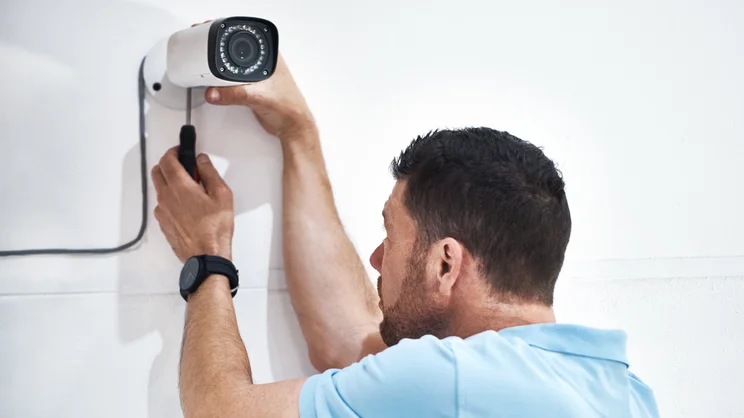
Proper mounting and angling of security cameras is crucial for effective surveillance. Correct placement ensures clear, wide coverage and reduces blind spots. It also helps capture important details like faces and license plates. Follow these tips to position your cameras for the best results.
Optimal Height For Coverage
Mount cameras at a height between 8 to 10 feet. This height prevents easy tampering and vandalism. It also captures faces clearly without distortion. Avoid placing cameras too high, which may miss important details on the ground.
Avoiding Obstructions
Clear the camera’s line of sight from trees, poles, or walls. Obstructions block the view and create blind spots. Trim branches and remove objects that interfere with the camera’s vision. Ensure the lens has a wide, open area to cover.
Adjusting Field Of View
Set the camera angle to cover the desired area fully. Tilt the lens slightly downward to capture people’s faces and activities. Use the camera’s zoom or wide-angle settings to adjust the field of view. Check the live feed to confirm the coverage before finalizing the position.
Credit: www.expertreviews.co.uk
Power And Connectivity
Power and connectivity are the backbone of any security camera setup. Without reliable power, your cameras won’t function, and without a steady connection, you won’t get the live footage or alerts you need. Understanding your options and preparing for interruptions can save you from blind spots and missed moments.
Power Source Options
Security cameras typically run on two main power sources: wired and wireless. Wired cameras connect directly to your home’s electrical system, providing consistent power without the need for battery changes. Wireless cameras, on the other hand, rely on batteries or solar power, giving you more flexibility in placement but requiring regular maintenance.
Think about where you want to install your cameras. If there’s no easy access to power outlets, a battery-powered or solar camera might be your best bet. However, if you want a “set it and forget it” solution, wired is usually more dependable.
Ensuring Stable Network Connection
Your camera’s video feed depends on a strong and stable network connection. For Wi-Fi cameras, positioning them within a good signal range is crucial. Walls, metal objects, and distance can weaken the signal, causing lag or dropped connections.
Consider using Wi-Fi extenders or mesh networks if your cameras are far from your router. Also, test the connection before final installation to avoid frustrating dead zones. Ever had a camera feed freeze just when you needed it most? That’s usually a network issue that’s easy to fix with proper planning.
Backup Power Solutions
Power outages happen, and without backup power, your cameras go dark. A simple uninterruptible power supply (UPS) can keep wired cameras running during blackouts. For wireless cameras, extra charged batteries or solar panels ensure continuous operation.
Ask yourself: How critical is constant surveillance in your area? If you live somewhere prone to outages or outages coincide with security risks, investing in backup power is not optional. It could be the difference between catching an intruder or missing the entire event.
Legal And Privacy Considerations
Installing security cameras can improve safety, but legal and privacy rules must guide their placement. Cameras should not invade personal spaces or break laws. Understanding these rules helps avoid problems and respects everyone’s privacy. Follow these key points to place cameras legally and ethically.
Local Surveillance Laws
Check your city and state laws before installing cameras. Some places limit where cameras can point or record. Laws may restrict audio recording or require camera placement only on your property. Ignoring these rules can lead to fines or legal action. Research local regulations to ensure compliance.
Respecting Neighbor Privacy
Avoid pointing cameras at neighbors’ homes or yards. Cameras should only cover your property or public areas. Spying on neighbors may cause disputes or legal trouble. Keep camera angles focused on entry points like doors and driveways. Respecting privacy helps maintain good relationships.
Signage And Notifications
Post clear signs informing visitors about camera use. Signs warn people that they are being recorded. This transparency can reduce privacy complaints. Some laws require visible notices near cameras. Use simple language on signs to ensure everyone understands.

Credit: www.cnet.com
Maintenance And Testing
Maintaining and testing your security cameras is crucial to ensure they keep working effectively. Over time, dirt, technical glitches, and outdated software can reduce their performance. Staying proactive with maintenance can save you from missing vital moments when you need your cameras the most.
Regular Cleaning
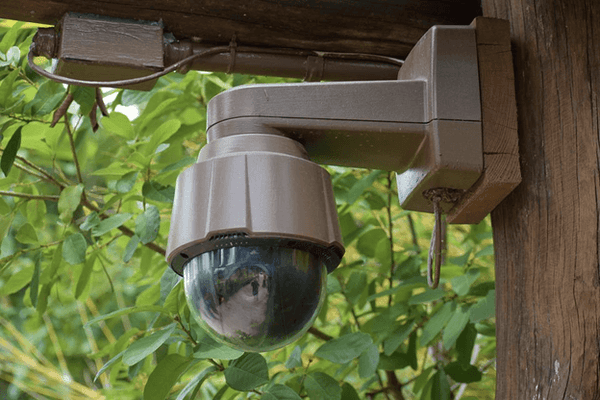
Dust, rain, and insects can quickly cover your camera lenses, blurring the footage. Clean your cameras every few weeks using a soft cloth and mild cleaning solution. Avoid harsh chemicals that might damage the lens coating.
Check the housing and mounting brackets for dirt buildup too. If you spot spider webs or nests, remove them promptly to avoid obstruction. Clean cameras provide clear images, making it easier to identify faces and events.
Functionality Checks
Testing your cameras regularly helps catch issues before they become serious. Watch the live feed and recorded footage to ensure the image is sharp and the angles cover the intended areas. Look out for flickering, freezing, or loss of signal.
Test night vision and motion detection features in different lighting conditions. If your system includes audio, verify the microphones and speakers work well. Ask yourself, are your cameras capturing everything you expect without blind spots?
Firmware Updates
Security cameras often receive firmware updates to improve performance and fix vulnerabilities. Check the manufacturer’s website or app monthly for new updates. Installing these updates keeps your system secure and running smoothly.
Updates can add new features like smarter motion alerts or better image processing. Skipping them might expose your system to hacking risks. Have you set a reminder to check for updates regularly?
Credit: montavue.com
Frequently Asked Questions
Where Should I Place Security Cameras For Best Coverage?
Place security cameras at main entry points, driveways, and blind spots. Ensure they cover high-traffic areas and vulnerable spots. Position cameras at a height to avoid tampering. Use wide-angle lenses for broader views and adjust angles to minimize glare and obstructions.
How High Should Security Cameras Be Installed?
Install security cameras between 8 to 10 feet high. This height prevents tampering and captures clear facial details. Avoid placing cameras too high, as it reduces image quality. Ensure cameras are angled downward for optimal coverage and identification.
Can I Install Security Cameras Myself Or Need A Professional?
You can install security cameras yourself if you have basic technical skills. Follow manufacturer instructions carefully and test camera angles before finalizing. For complex systems or wired setups, hiring a professional ensures proper installation and functionality.
Should Security Cameras Be Visible Or Hidden?
Visible cameras act as a deterrent and warn potential intruders. Hidden cameras capture covert footage but may not prevent crimes. Choose visibility based on your security goals. Combining both types can enhance overall protection and surveillance effectiveness.
Conclusion
Placing security cameras well keeps your home safe and secure. Choose spots with clear views and good lighting. Avoid hiding cameras too much; they should be visible to deter intruders. Check angles to cover all important areas without blind spots.
Regularly test your cameras to ensure they work properly. Good placement helps catch important moments and keeps your property protected. Simple steps can make a big difference in security. Stay alert and keep your cameras maintained for the best results.
Safety starts with smart camera placement.






