
Imagine coming home to a house that watches over itself, keeps you safe, and alerts you instantly if something’s wrong—all without you lifting a finger. Sounds like a dream, right?
But it’s not. You can actually automate your home security system to protect your family and belongings effortlessly. If you’ve ever worried about leaving your home unattended or wished for an easier way to keep an eye on things, this guide is made just for you.
Keep reading, and you’ll discover simple, effective steps to turn your home into a smart fortress.
Benefits Of Home Security Automation
Automating your home security system offers easy control and constant monitoring from anywhere. It helps protect your home with timely alerts and quick responses. This smart setup saves time and increases safety without extra effort.
Automating your home security system offers a myriad of benefits that can transform the way you safeguard your property. Imagine having peace of mind knowing that your home is protected 24/7, and you can monitor it from anywhere in the world. Automation takes your security to another level, not only enhancing protection but also providing convenience and potential savings. Let’s delve into the specific advantages of automating your home security system.Enhanced Protection
Automated systems integrate various security devices to work together seamlessly. This means your alarms, cameras, and sensors communicate with each other, providing a comprehensive shield for your home. Consider how layers of protection can deter potential intruders more effectively than standalone devices. A friend of mine once shared how his automated system notified him of suspicious activity while he was away. The immediate alerts allowed him to inform the authorities, preventing what could have been a serious breach. How secure is your home right now?Remote Monitoring
One of the standout benefits of automation is the ability to monitor your home remotely. With a few taps on your smartphone, you can check live footage, receive alerts, and even control devices from miles away. Imagine being on vacation and still able to ensure everything is in order back home. You can verify that doors are locked, lights are turned off, and even speak to visitors through smart cameras. This level of control can significantly reduce anxiety and increase confidence in your home’s safety.Cost Savings
While the initial investment in an automated system might seem hefty, the long-term savings can be substantial. Automated systems can lower insurance premiums, as many companies offer discounts for enhanced security measures. Moreover, you can save on energy costs by managing lights and thermostats remotely. No more worrying about leaving the lights on or the AC running while you’re away. Over time, these savings can offset the initial costs, making automation a wise financial choice. Isn’t it time you considered how automation could not only protect your home but also save you money?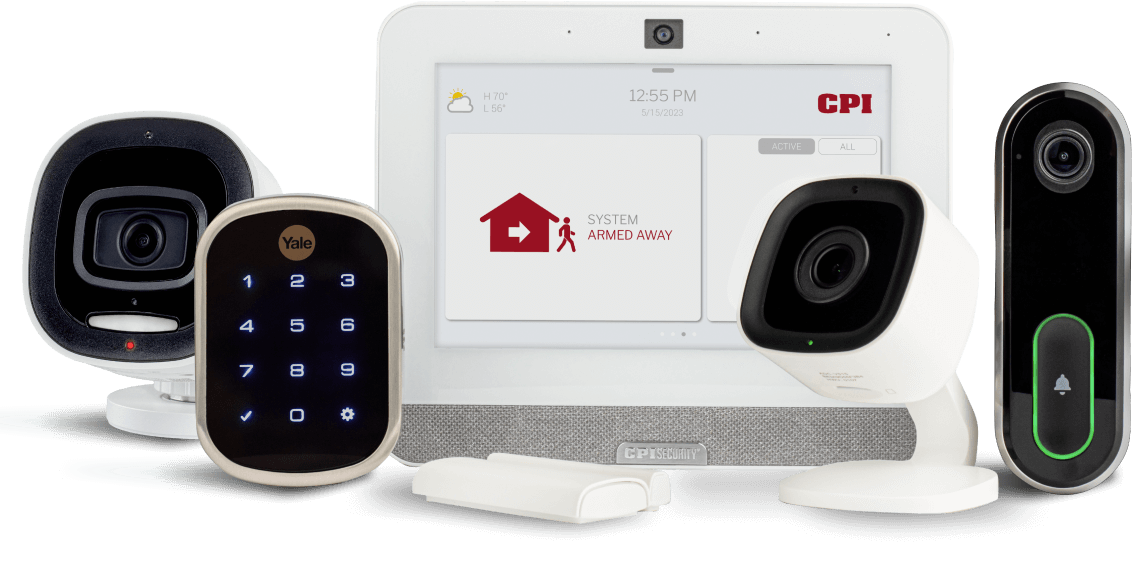
Credit: cpisecurity.com
Choosing The Right Security Devices
Choosing the right security devices is key to making your home automation both effective and user-friendly. The devices you select should fit your lifestyle, budget, and the specific security needs of your home. Not all gadgets are created equal, so focusing on quality and compatibility will save you headaches later.
Smart Cameras
Smart cameras give you eyes everywhere without lifting a finger. They stream live footage directly to your phone and send alerts if they detect unusual activity.
Look for cameras with high resolution and night vision. Two-way audio is a bonus—it lets you talk to visitors or scare off intruders remotely.
Ask yourself: How much coverage do you need? Wide-angle lenses cover more space, but multiple cameras might be necessary for full protection.
Motion Sensors
Motion sensors are your home’s silent sentinels. They detect movement and can trigger alarms, lights, or cameras automatically.
Choose sensors that can distinguish between pets and humans to avoid false alarms. Placement matters—install them near entry points and dark corners.
Think about your daily routine. Do you want sensors active all the time or only when you’re away? Many systems let you customize this easily.
Smart Locks
Smart locks give you control over who enters your home without needing physical keys. You can lock or unlock doors remotely via your phone.
Consider locks that offer temporary access codes for guests or service workers. Some models even log entry times for added security.
Have you tested how easy it is to install and use the lock? A complicated setup can discourage regular use, defeating the purpose of automation.
Setting Up A Central Hub
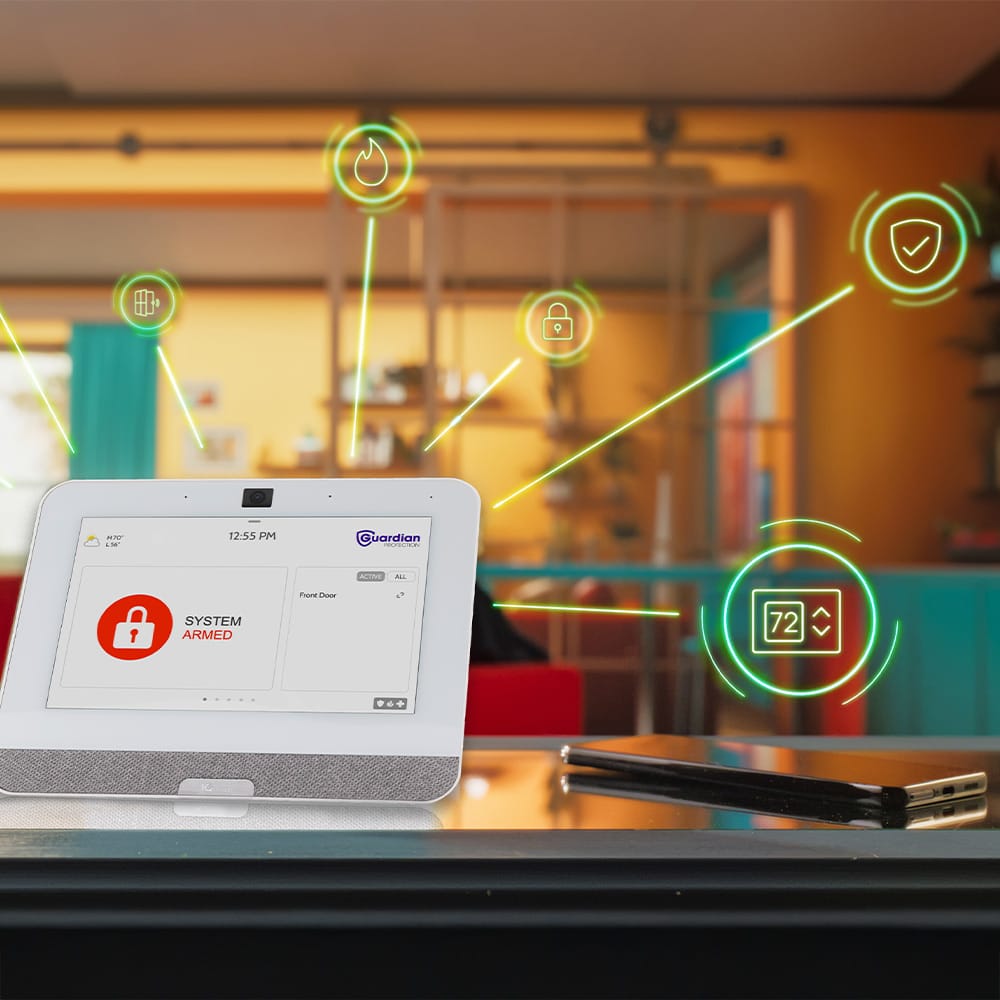
Setting up a central hub is a crucial step in automating your home security system. This hub acts as the brain, connecting all your security devices and allowing them to work together seamlessly. Choosing the right hub can make your system easier to manage and more effective at protecting your home.
Hub Options
You have several options when selecting a central hub. Some popular choices include dedicated security hubs from brands like Ring, Samsung SmartThings, and Hubitat. Each offers different features, such as compatibility with various devices and levels of user control.
Consider hubs that support both wired and wireless devices for greater flexibility. Also, check if the hub supports future upgrades so your system can grow with your needs. Have you thought about whether you want a hub that requires a monthly subscription or one that operates independently?
Integration With Devices
The power of a central hub lies in its ability to connect multiple devices. It should easily link your cameras, motion sensors, door locks, and alarms. A good hub supports a wide range of brands and protocols like Zigbee, Z-Wave, or Wi-Fi.
Think about how many devices you plan to connect now and in the future. Some hubs limit the number of connected devices or the types they support. Imagine having your door lock trigger the alarm if an unauthorized entry is detected—this is only possible with smooth integration.
User Interface
Your hub’s user interface determines how easy it is to control your system. Look for intuitive apps or web dashboards that let you monitor and adjust settings from anywhere. If you prefer voice commands, check if the hub works with assistants like Alexa, Google Assistant, or Siri.
Test the interface before buying if possible. Does it offer clear alerts and simple customization? A confusing interface can make managing your home security frustrating, so choose one that feels natural to you.
Credit: guardianprotection.com
Configuring Automation Rules
Configuring automation rules is key to making your home security system smart and responsive. These rules tell your system how to act under certain conditions. Set clear rules for different situations. This helps your security work smoothly without constant manual input.
Automation rules can be simple or complex. They can send alerts, trigger alarms, or even control other smart devices. Adjust rules based on your lifestyle and security needs. Proper configuration improves safety and convenience.
Scheduling Alerts
Schedule alerts to match your daily routine. Set specific times for notifications to avoid unnecessary alerts. For example, receive alerts only during night hours or when you are away.
- Choose alert types: email, SMS, or app notifications.
- Set quiet hours to reduce false alarms.
- Customize alert frequency to avoid overload.
Trigger-based Actions
Trigger-based actions activate when specific events occur. For example, if a door opens, the system can turn on lights or start recording video. These actions respond immediately to potential threats.
- Link sensors to alarms or cameras.
- Activate smart locks or lights automatically.
- Create instant responses for unusual activity.
Custom Scenarios
Create custom scenarios to fit unique needs. Combine multiple triggers and actions for smarter security. For example, if motion is detected and it’s after 10 PM, lock all doors and notify you.
- Mix triggers like motion, sound, and door sensors.
- Set multiple actions to run in sequence.
- Test scenarios to ensure they work correctly.
Connecting To Mobile Apps
Connecting your home security system to mobile apps brings real-time control and peace of mind right to your fingertips. It lets you monitor your home from anywhere, manage settings easily, and receive instant alerts. But making the most of this connection means choosing the right app and setting it up properly.
App Selection
Not all security apps are created equal. Look for apps that are compatible with your security system and have a user-friendly interface. Check if the app supports multiple devices, so everyone in your household can stay connected.
Consider apps with high ratings and positive reviews that mention reliable performance. Some popular options offer extra features like video streaming, integration with smart home devices, and customizable settings. Have you tried an app that felt complicated or slow? That’s a sign to keep looking.
Notifications Setup
Setting up notifications correctly ensures you don’t miss important alerts without being overwhelmed by constant pings. Customize alerts for specific events like door openings, motion detection, or system disarming. Most apps let you choose the type of notification: push notifications, emails, or SMS.
Think about your daily routine. Do you want alerts only when you’re away from home? Or do you need them at all times? Fine-tuning notifications helps you stay informed without unnecessary distractions.
Remote Control Features
One of the biggest advantages of mobile apps is the ability to control your security system remotely. You can arm or disarm your system, lock or unlock doors, and even view live camera feeds. This level of control is useful if you forget to lock up or want to let a friend in while you’re away.
Test these features to make sure they respond quickly and work smoothly. Have you ever needed to access your home remotely in an emergency? Reliable remote control can make all the difference in those moments.
Testing And Maintenance
Testing and maintenance keep your automated home security system reliable. Regular care helps prevent failures and keeps your home safe. Small tasks done frequently avoid big problems later. Check your system often to ensure all parts work well.
Routine Checks
Inspect sensors, cameras, and alarms regularly. Clean lenses and remove dust from devices. Test motion detectors by walking through monitored areas. Check battery levels and replace weak batteries. Verify that all doors and windows report correctly to the system. Confirm the control panel responds to commands without delay.
Firmware Updates
Keep your system’s software updated for better security. Updates fix bugs and add new features. Set your system to update automatically, if possible. Check the manufacturer’s website for manual updates. Back up system settings before installing updates. Restart devices after updates to apply changes fully.
Troubleshooting Common Issues
Reset devices if they stop responding. Check power sources and connections for loose wires. Reboot your router if the system loses internet connection. Replace faulty sensors or cameras promptly. Review error messages on the control panel. Contact customer support if problems persist after basic fixes.
Enhancing Security With Smart Integrations
Enhancing security with smart integrations creates a safer and more convenient home. These systems connect various devices, allowing them to work together. This connection makes monitoring and controlling your home easier. It also increases the speed of response during emergencies.
Voice Assistants
Voice assistants offer hands-free control of your security system. You can arm or disarm alarms with simple voice commands. They also help you check camera feeds or lock doors remotely. Using voice assistants reduces the need to handle devices physically, which can save time.
Smart Lighting
Smart lighting improves security by mimicking your presence. Lights can turn on and off automatically at set times. They can also activate when motion is detected outside. This feature deters intruders and makes your home look occupied even if you are away.
Alarm Systems
Modern alarm systems connect with other smart devices for better protection. Sensors detect unusual activity and send instant alerts to your phone. Some systems can trigger lights and sounds to scare off intruders. Integration allows you to manage alarms remotely and stay informed at all times.

Credit: www.facebook.com
Frequently Asked Questions
What Devices Are Essential For Home Security Automation?
Essential devices include smart cameras, motion sensors, smart locks, and alarm systems. These devices connect to your home Wi-Fi and can be controlled remotely for real-time monitoring and alerts.
How Do I Connect My Security System To My Smartphone?
Most home security systems offer mobile apps. Download the app, create an account, and link your devices to control and monitor your system anytime, anywhere.
Can I Automate My Home Security Without Professional Help?
Yes, many DIY home security kits are user-friendly and easy to install. They offer step-by-step instructions and seamless integration with smart home platforms.
What Are The Benefits Of Automating Home Security?
Automation enhances convenience, provides real-time alerts, enables remote monitoring, and improves response time during emergencies. It also deters intruders through scheduled lighting and surveillance.
Conclusion
Automating your home security makes life easier and safer. You can watch your home from anywhere. Alerts come straight to your phone. Setting up is simple and saves time. Choose devices that fit your needs and budget. Regular updates keep your system strong.
Small steps lead to better protection. Start today and feel more secure at home.






