
Imagine walking into your home and the lights turn on exactly how you like them—without you lifting a finger. Sounds like a dream, right?
But with a few simple steps, you can make this your everyday reality. Automating your home lighting not only adds comfort and convenience but also helps save energy and boost security. Ready to take control of your lighting and transform your living space effortlessly?
Keep reading, and you’ll discover easy ways to automate your lights that fit your lifestyle and budget.
Benefits Of Automated Lighting
Automated lighting changes how you experience your home. It offers more than just convenience—it boosts comfort, saves money, and can even improve your security. Once you start using automated lighting, you might find it hard to go back to manual switches.
Energy Efficiency And Cost Savings
Automated lighting helps you cut down on wasted energy. Lights turn off automatically when you leave a room, so you don’t pay for electricity you aren’t using. Smart bulbs also let you dim lights or set schedules, reducing your electric bill without any extra effort.
I once installed smart bulbs in my living room and bedroom. Within a month, I noticed a clear drop in my energy bill. The convenience of scheduled lighting made me forget I was even saving energy.
Enhanced Home Security
Automated lighting can make your home look occupied even when you’re away. You can schedule lights to turn on and off at different times, deterring potential intruders. Some systems even connect to motion sensors that activate lights instantly, adding a layer of protection.
Have you thought about how a simple light turning on at dusk can fool someone watching your house? It’s a small change that makes a big difference in safety.
Improved Comfort And Convenience
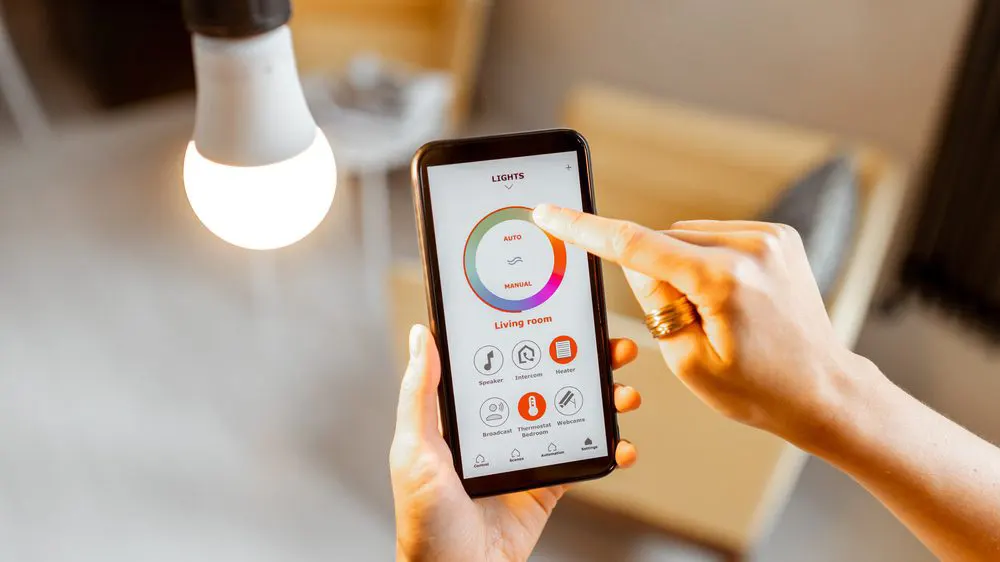
Imagine walking into a dark room and having the lights turn on without reaching for a switch. Automated lighting adjusts to your routine, so your home feels more welcoming. You can control lights from your phone or voice assistant, making day-to-day life easier.
In my experience, the ability to dim lights or change colors with a simple voice command has made evenings more relaxing. You can create the perfect atmosphere without any hassle.
Customization And Mood Setting
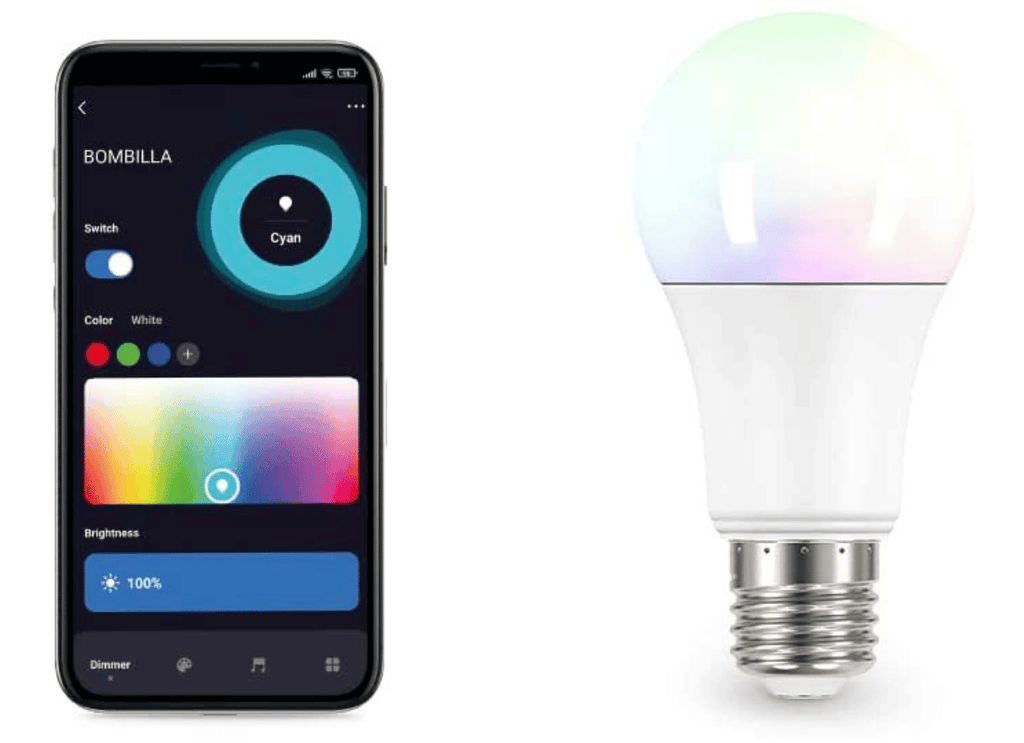
Automated lighting gives you the power to change your home’s mood instantly. Choose warm tones for cozy nights or bright white for working and reading. You can even sync lights with music or movies for an immersive experience.
Have you tried setting lights to match your favorite playlist? It adds a fun, personalized touch to your space that traditional lighting can’t offer.
Credit: www.plushtechnologies.in
Choosing The Right Smart Lighting System
Choosing the right smart lighting system shapes the whole home automation experience. It affects ease of use, device compatibility, and energy savings. Picking the best option needs clear understanding of your needs and home setup.
Types Of Smart Bulbs
Smart bulbs come in several types. Each type offers unique features and benefits.
- Wi-Fi Bulbs:Connect directly to your home Wi-Fi. No hub needed. Easy to control via apps.
- Bluetooth Bulbs:Connect through Bluetooth. Good for small spaces. Limited range.
- Zigbee and Z-Wave Bulbs:Require a hub. Offer stable connections. Ideal for larger systems.
- Color-Changing Bulbs:Allow you to change colors. Create different moods and scenes.
Choose bulbs based on your control needs and installation complexity.
Compatibility With Home Devices
Smart lighting should work smoothly with other devices. Check compatibility with your smart home ecosystem. Popular platforms include Amazon Alexa, Google Assistant, and Apple HomeKit.
Some bulbs work best with specific hubs or apps. Confirm if the system supports voice commands. Also, check integration with other smart devices like sensors or switches.
Compatibility ensures easy control and automation across your home.
Energy Efficiency Considerations
Smart lighting helps save energy but varies by type. LED smart bulbs use less power and last longer than traditional bulbs.
Look for Energy Star ratings or similar certifications. Features like scheduling and dimming reduce electricity use. Automation can turn off lights when not needed.
Choosing energy-efficient bulbs cuts costs and benefits the environment.
Setting Up Smart Lighting
Setting up smart lighting at home transforms the way you interact with your space. It’s about more than just convenience—it’s about creating ambiance, saving energy, and enhancing security effortlessly. Let’s break down how you can get started quickly and effectively.
Installation Process
Start by choosing smart bulbs or smart light switches that fit your needs and fixtures. Most smart bulbs simply screw into your existing sockets, just like regular bulbs, making installation a breeze. If you opt for smart switches, you might need basic tools like a screwdriver and a voltage tester—safety first, so turn off your power before you begin.
Follow the included instructions carefully, especially for wiring. If you’re unsure about electrical work, it’s wise to consult a professional. Once installed, your smart lights are physically ready to be connected and controlled.
Connecting To Wi-fi
Your smart lights need a stable Wi-Fi connection to function properly. Use your smartphone to connect the lights via the app provided by the manufacturer. The app usually guides you step-by-step to find and connect your lights to your home network.
Keep your router nearby or consider a Wi-Fi extender if your lights are far from the source. Have you noticed any dead zones in your home where your phone struggles to get a signal? Addressing those spots before setup can save you headaches later.
Using A Smart Hub
A smart hub acts as the brain of your home lighting system, linking different devices together. Some systems work directly with Wi-Fi, but hubs like Samsung SmartThings or Amazon Echo can unify your lights, thermostats, and more into a single control point.
Connecting your lights to a hub can unlock advanced features like routines or voice commands. Think about how often you want to control your lights remotely or automate them before deciding if a hub suits your lifestyle. The extra setup effort often pays off with smoother control and greater flexibility.
Creating Lighting Schedules
Creating lighting schedules is a smart way to make your home more comfortable and energy-efficient. Setting specific times for your lights to turn on and off means you don’t have to think about it every day. This also gives your home a lived-in feel even when you’re away.
Daytime And Nighttime Settings
Think about how your lighting needs change from morning to night. During the day, you might want natural light to be the main source, so schedule your artificial lights to stay off or dimmed. At night, set your lights to brighten gradually or switch on at different times to match your activities.
Try programming brighter lights in the kitchen or office during the day and softer, warmer lights in the living room and bedrooms at night. How do these changes affect your mood or energy?
Customizing For Events
Lighting schedules don’t have to be static. You can create special settings for events like dinner parties, movie nights, or holidays. Imagine dimming your living room lights for movie night or setting your porch lights to a festive color during holidays.
Use your smart app to add these custom events easily. What events in your life could benefit from a tailored lighting atmosphere?
Adjusting For Seasons
Seasonal changes impact how much natural light you get. In winter, when days are shorter, you might want your lights to come on earlier in the evening. During summer, delaying your lighting schedule can save energy since the sun sets later.
Some systems even allow automatic adjustments based on sunrise and sunset times. Are you taking advantage of your lighting system’s ability to adapt with the seasons?
Voice Control And Mobile Apps
Voice control and mobile apps have transformed the way you manage lighting in your home. They bring convenience and flexibility right to your fingertips or voice commands. Imagine adjusting your lights without leaving the couch or while your hands are full.
Integrating With Voice Assistants
Connecting your lighting system with voice assistants like Alexa, Google Assistant, or Siri means you can control your lights simply by speaking. You don’t need to fumble for switches or apps; just say, “Turn off the living room lights,” and it’s done.
This hands-free control is perfect for busy moments or when you’re entering a room with your hands full. Plus, you can create custom voice commands to suit your daily routine, making automation feel more natural and personal.
Using Smartphone Apps
Smartphone apps give you total control over your lighting, no matter where you are. These apps often have user-friendly interfaces that allow you to change brightness, color, and schedules with just a few taps.
Many apps also offer preset scenes for different moods like reading, relaxing, or party time. You can even program your lights to gradually brighten in the morning to wake you up gently.
Remote Control Features
Remote control through apps means you can manage your home’s lighting from anywhere. Forgot to turn off the lights before leaving? No problem, just open your app and switch them off.
Some systems also let you monitor energy use and get alerts if lights are left on too long. This feature adds a layer of security and energy savings that you can appreciate every day.
Credit: garza.es
Troubleshooting Common Issues
Automating your home lighting can make life easier, but occasional hiccups may disrupt the smooth experience you expect. Troubleshooting common issues quickly helps you maintain that convenience without frustration. Let’s look at the typical problems you might face and how to fix them efficiently.
Connectivity Problems
One of the biggest challenges in automated lighting is connectivity. If your lights don’t respond, check if your Wi-Fi or smart hub is working properly. Sometimes, simply restarting your router or hub reconnects everything.
Interference from other devices can also cause connection drops. Move your hub closer to your router or use a Wi-Fi extender to boost the signal strength. Have you noticed certain areas in your home where the signal weakens? That’s where a better setup can make a difference.
App Malfunctions
When the app controlling your lights freezes or won’t open, it’s usually a software glitch. Try closing and reopening the app. If that doesn’t work, uninstall and reinstall it to clear out any corrupted data.
Keep your app updated to the latest version to avoid bugs. If the problem persists, check online forums for your device’s specific app—sometimes updates introduce new issues, and the community often finds quick fixes.
Bulb Replacement Tips
Replacing a smart bulb is not always straightforward. Before swapping bulbs, make sure to turn off the power to avoid damage or shocks. When you install the new bulb, reset it according to the manufacturer’s instructions; this often involves toggling the power on and off several times.
Don’t forget to remove the old bulb from your app or hub to prevent confusion. Have you ever installed a new bulb only to find it won’t connect? Resetting the hub or re-pairing the bulb usually resolves this issue quickly.
Enhancing Home Security With Lighting
Lighting plays a key role in keeping your home safe. Smart lighting tricks can stop burglars before they try. Well-planned lights make your house look lived-in and watched. This can scare off unwanted visitors easily. Automating your lights lets you control safety without lifting a finger. It also saves energy by lighting only when needed.
Automated Away Modes
Away modes mimic your presence at home. Lights switch on and off at different times. This pattern looks natural and confusing to intruders. You can set schedules or use apps to activate away modes. These settings work well during vacations or long trips. Automated away modes give your home a lived-in feel all day.
Motion Sensors
Motion sensors react to movement near your home. They turn on lights instantly when someone approaches. This sudden light can startle trespassers and alert you. Place sensors near doors, windows, and dark corners. Sensors also reduce energy by lighting only when needed. They work perfectly with smart lighting systems for quick response.
Outdoor Lighting Solutions
Outdoor lights protect your home’s perimeter. Bright lights on paths, driveways, and entrances improve visibility. Solar-powered lights are easy to install and eco-friendly. Floodlights with smart controls cover large areas efficiently. Use warm, soft lights to avoid glare but keep areas bright. Good outdoor lighting guides visitors safely and deters criminals.
Future Trends In Smart Lighting
The future of smart lighting holds exciting changes. Lighting will become smarter, more efficient, and easier to control. New trends are shaping how homes use light. Expect technology and design to blend for better experiences. Here are some key future trends in smart lighting.
Ai Integration
Artificial intelligence will make lighting systems more adaptive. Lights will learn your habits and adjust automatically. They can change brightness and color based on mood or time. AI will also improve energy savings by optimizing usage. Voice commands and smart assistants will become more natural and accurate.
Sustainability Advancements
Smart lighting will focus on saving energy and reducing waste. LED technology will continue to improve in efficiency and lifespan. More products will use eco-friendly materials and designs. Systems will offer better control to reduce unnecessary power use. Solar-powered and battery-free lighting may become common in some homes.
Innovative Designs
Lighting fixtures will blend style with technology seamlessly. Expect sleek, minimal designs that fit any decor. Modular and customizable lights will allow personal creativity. Smart bulbs will offer a wide range of colors and effects. Integration with other smart home devices will create unified control systems.

Credit: www.atss.in
Frequently Asked Questions
What Are The Benefits Of Automating Home Lighting?
Automated lighting saves energy and reduces electricity bills. It enhances convenience by allowing remote control. It also improves home security through scheduled lighting patterns.
How Do Smart Lighting Systems Work At Home?
Smart lighting systems connect to Wi-Fi or hubs. Users control lights via apps, voice commands, or sensors. These systems enable scheduling, dimming, and color changes.
Can I Automate Lighting Without Rewiring My House?
Yes, smart bulbs and plugs fit existing fixtures. They connect wirelessly to your phone or hub. No rewiring or professional installation is usually required.
Which Devices Are Best For Home Lighting Automation?
Popular devices include smart bulbs, switches, and hubs. Brands like Philips Hue, LIFX, and TP-Link offer reliable options. Choose based on compatibility and features needed.
Conclusion
Automating home lighting saves time and energy every day. You control lights from anywhere, making life easier. It also helps reduce electricity bills by using lights only when needed. Setting schedules keeps your home bright and safe at night. Start with simple devices and add more as you go.
Small steps lead to a smarter, more comfortable home. Try automation to enjoy convenience and save money. It’s a simple change with big benefits.






