
Imagine controlling your entire home with just a tap on your phone or a simple voice command. Sounds amazing, right?
Designing a home automation system can turn this dream into reality, making your life easier, safer, and more comfortable. But where do you start? How do you choose the right devices and set everything up so it works seamlessly? You’ll discover clear, step-by-step guidance to design a home automation system that fits your needs perfectly.
Keep reading, and soon you’ll be on your way to transforming your home into a smart, connected haven.
Understanding Home Automation
Home automation makes everyday tasks easier by using technology to control devices. It connects various gadgets in a house to work together smoothly. This system offers convenience, security, and energy savings. Understanding how home automation works is the first step in designing a system that fits your needs.
Definition And Benefits
Home automation means controlling home devices automatically or remotely. Devices like lights, thermostats, and security cameras can be managed from one place.
Benefits include:
- Saving time by automating routine tasks
- Increasing home security with smart locks and alarms
- Reducing energy bills through efficient use of appliances
- Improving comfort by setting ideal temperatures and lighting
- Allowing remote access to control devices anywhere
Key Components
A home automation system needs several parts to work well.
- Controller:The brain of the system, like a smart hub or app.
- Devices:Smart bulbs, thermostats, cameras, and sensors.
- Network:Wi-Fi or other wireless connections to link devices.
- Software:Apps or programs to manage and schedule tasks.
- Power Supply:Reliable energy sources to keep devices running.
Each component plays a key role in creating a smooth and reliable system.
Planning Your System
Planning your home automation system is the foundation of a smooth and efficient setup. It requires clear thinking about what you want your smart home to do and how much you are willing to invest. Taking the time to plan carefully can save you money and frustration later on.
Assessing Your Needs
Start by listing the tasks you want your system to handle. Do you want to control lighting, security, climate, or entertainment? Maybe all of these? Knowing your priorities helps you focus on the right devices and avoid unnecessary gadgets.
Think about your daily routine and where automation can make life easier. For example, if you often forget to turn off lights, smart switches could be a good fit. If security is a concern, consider cameras and smart locks with remote access.
Ask yourself: What problems do I want this system to solve? Your answers will guide your choices and ensure your system matches your lifestyle.
Setting A Budget
Decide how much money you want to spend before buying anything. Home automation can range from affordable to pricey, depending on the complexity and brand. Setting a clear budget keeps your spending in check and helps you prioritize features.
Break down your budget into categories like hardware, installation, and ongoing costs such as subscriptions. This approach prevents surprises and helps you understand the total investment.
Remember, cheaper is not always better. Investing in quality devices can save you headaches down the road. Could a small increase in budget provide a more reliable and future-proof system?
Choosing The Right Technology
Choosing the right technology is a crucial step in designing a home automation system that truly fits your lifestyle. The devices and platforms you pick will determine how smoothly your system works and how easy it is to expand later. Getting this right from the start saves you time, money, and frustration down the road.
Smart Devices And Platforms
Your home automation system relies heavily on the smart devices and platforms you select. Popular options include voice assistants like Amazon Alexa, Google Assistant, and Apple HomeKit. Each platform offers unique features, so consider what you use daily and which devices you already own.
Look beyond just smart speakers. Think about smart lights, thermostats, security cameras, and even smart locks. These devices should work well together and offer the controls you want, whether through an app, voice, or automation routines.
From my experience, starting with a platform that supports a wide range of devices makes adding new gadgets easier. For example, I began with Google Assistant because it supports various brands, which helped me mix and match smart bulbs and sensors without compatibility issues.
Compatibility Considerations
Compatibility can make or break your home automation experience. Devices from different brands may not communicate well, leading to frustration when setting up automations or controlling your system remotely.
Check if the devices support common communication protocols like Wi-Fi, Zigbee, or Z-Wave. These protocols help devices talk to each other and your central hub if you use one. Also, verify if the platform offers an open API or supports third-party integrations, which increases flexibility.
Ask yourself, do you want your system to grow over time? If yes, prioritize technologies known for compatibility and regular updates. This approach avoids locking yourself into a single brand’s ecosystem and allows you to add new features or devices as your needs change.
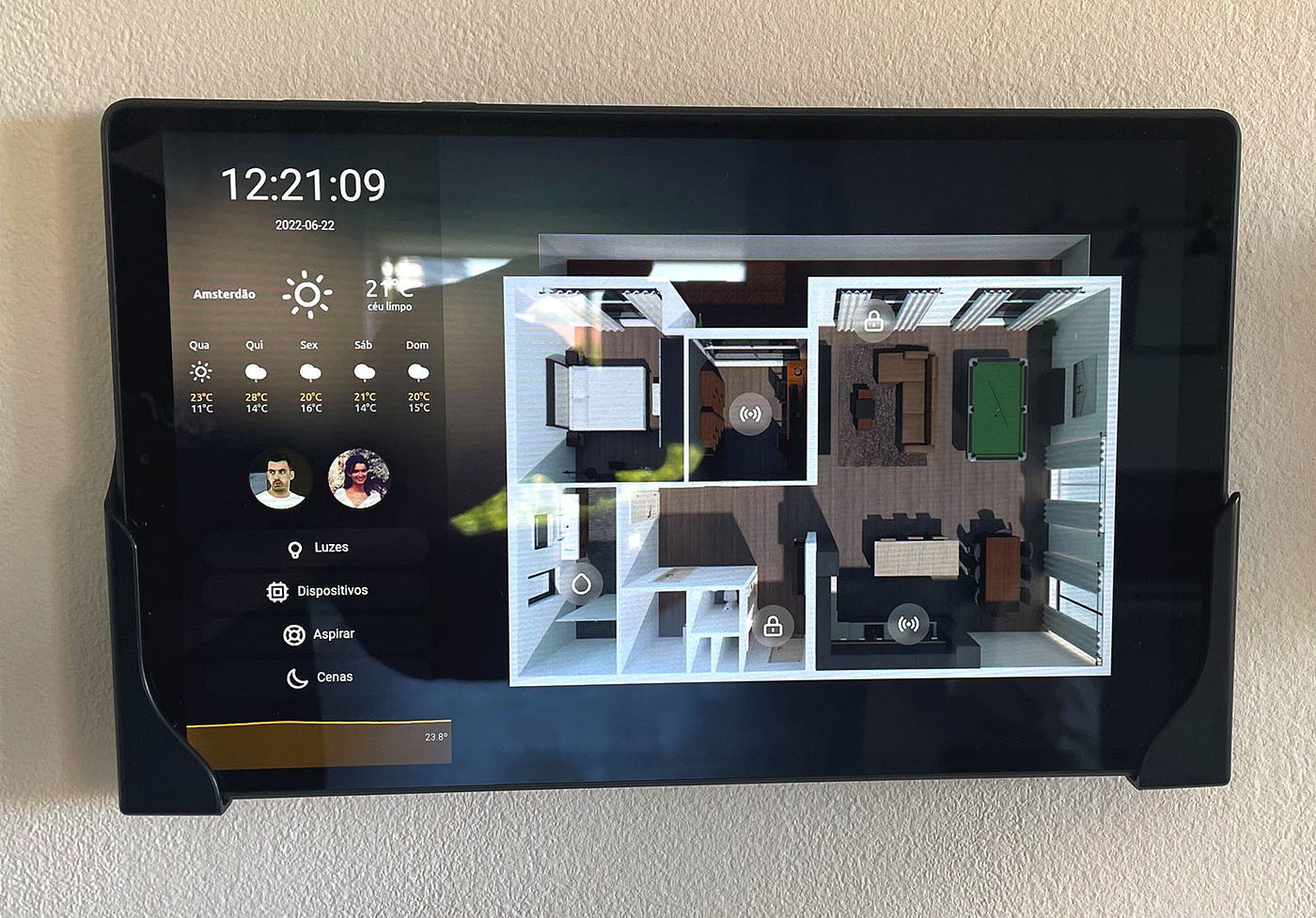
Credit: itnext.io
Designing The Layout
Designing the layout of a home automation system shapes how well it works daily. A clear plan helps place devices efficiently. It also reduces future issues and upgrades costs. Careful layout design improves system speed and reliability.
Focus on each room’s needs and the network setup. These two parts form the system’s backbone. Both must fit together smoothly for best results.
Room-by-room Analysis
Start by listing all rooms in your home. Think about how you use each room. Identify what automation fits best in each space.
- Living rooms may need smart lighting and speakers.
- Kitchens benefit from smart appliances and sensors.
- Bedrooms often use automated blinds and thermostats.
- Bathrooms might need humidity sensors and smart mirrors.
Note devices needed in each room. Check power outlets and signal reach. This helps avoid weak spots and dead zones. Plan device placement for easy access and control.
Network Infrastructure
The network links all devices and controls. A strong network stops delays and disconnections. Choose between wired and wireless options or both.
- Wired networks offer stable, fast connections but need cables.
- Wireless networks provide flexibility but can face interference.
- Use routers and range extenders to cover the whole home.
- Place the main hub centrally for balanced signal strength.
Set up a secure network with strong passwords. Keep software updated to protect your system. Test the network in all rooms before final setup.
Installation Process
The installation process is a key part of designing a home automation system. It ensures that all devices work smoothly and communicate well. Proper installation affects system performance and user experience.
Choosing the right installation method depends on skills, budget, and system complexity. Understanding each step helps avoid common mistakes and saves time.
Diy Vs Professional Installation
DIY installation can save money. It suits simple systems and people with basic tech skills. Many devices come with clear instructions and apps for setup. DIY offers control and learning opportunities.
Professional installation guarantees correct setup. Experts handle wiring, network configuration, and troubleshooting. This choice suits complex or large systems. Professionals ensure safety and system reliability.
Consider these points:
- DIY is cost-effective but needs time and patience.
- Professional service costs more but saves effort.
- DIY allows flexible customization.
- Professionals provide technical support.
Step-by-step Guide
- Plan device locations based on coverage and convenience.
- Check power sources and network availability at each spot.
- Install hubs or central controllers first.
- Mount sensors, cameras, and smart switches securely.
- Connect devices to your home Wi-Fi or wired network.
- Download and set up the control app on your phone.
- Pair each device with the system following the app instructions.
- Test all devices to ensure proper communication and function.
- Adjust settings for automation rules and alerts.
- Secure your network with strong passwords and updates.

Credit: brands.live
Programming And Integration
Programming and integration form the backbone of any home automation system. They allow your devices to work together smoothly and respond to your lifestyle. Without proper programming, even the smartest gadgets can feel disconnected and underused.
Automating Tasks
Automating tasks means setting your devices to perform actions automatically based on triggers or schedules. You could program your lights to turn off when you leave the house or have the thermostat adjust itself when you go to bed. This not only saves energy but also adds convenience to your daily routine.
Think about the repetitive actions in your home. Could your coffee maker start brewing as soon as your morning alarm goes off? What if your blinds closed automatically at sunset? Using simple scripts or automation apps, you can create these scenarios without complex coding.
Start with clear goals. Decide which tasks you want automated and test them one by one. This approach helps you avoid overwhelming your system and keeps everything running smoothly.
Integrating With Voice Assistants
Voice assistants like Alexa, Google Assistant, or Siri make controlling your home automation effortless. Integration means connecting your devices so you can give voice commands instead of using apps or switches.
To integrate, check if your devices support popular voice platforms. Most smart bulbs, thermostats, and security cameras do. Linking them usually involves adding the device to the voice assistant’s app and enabling specific skills or permissions.
Imagine telling your assistant, “Turn on the lights in the living room,” while you’re carrying groceries inside. This hands-free control improves your user experience dramatically.
Are there devices in your setup that don’t support voice control? Consider using hubs or bridges that act as translators between different protocols. This can expand your voice assistant’s reach and simplify managing multiple brands.
Security And Privacy
Security and privacy form the backbone of any effective home automation system. Without strong protections, your smart devices could become easy targets for hackers or misuse. You need to think beyond convenience and ask yourself: how safe is your connected home?
Securing Your Network
Your home network is the gateway to all your smart devices. If it’s vulnerable, every device connected to it is at risk. Start by changing default router passwords to complex ones that mix letters, numbers, and symbols.
Enable WPA3 encryption if your router supports it. This offers stronger protection compared to older encryption standards. Regularly update your router’s firmware to patch any security holes that manufacturers discover.
Consider creating a separate guest Wi-Fi network for visitors or less critical devices. This limits access to your main network and keeps your important devices isolated. You can also disable remote administration on your router to prevent unauthorized outside access.
Privacy Considerations
Smart devices collect a lot of data about your habits and routines. Think carefully about what information you’re willing to share. Check device privacy settings and disable unnecessary data collection features.
Look at the privacy policies of your device manufacturers. Do they sell your data or share it with third parties? If their policies feel intrusive, it might be better to choose devices from companies that prioritize user privacy.
Use strong, unique passwords for each smart device account. Avoid linking all devices to a single login to reduce risk. Have you reviewed your devices’ permissions lately? Revoking access to unused apps can prevent data leaks.
Maintenance And Troubleshooting
Maintaining a home automation system keeps it reliable and efficient. Regular care prevents many common problems. Troubleshooting helps fix issues quickly. This keeps your smart home running smoothly.
Regular Updates
Update your system software often. Updates improve security and add new features. They fix bugs that cause errors. Check for updates in the app or device settings. Set automatic updates if possible. Back up your settings before updating. This protects your data during changes.
Common Issues And Solutions
Some problems may arise in home automation systems. Here are common issues and quick fixes:
- Devices not responding:Restart the device and check the network connection.
- Slow system performance:Remove unused devices and clear app cache.
- Connectivity problems:Reset your router and ensure devices are in range.
- App crashes:Update the app or reinstall it if needed.
- Voice commands not working:Check microphone settings and internet access.
Keep a list of device manuals and support contacts. This speeds up problem-solving and avoids frustration.
Future Trends In Home Automation
The future of home automation is shaping up to be more intuitive and connected than ever. As technology advances, your home can become smarter in ways that simplify daily routines and enhance comfort. Understanding upcoming trends helps you design a system that stays relevant and grows with your needs.
Innovations And Emerging Technologies
New technologies are pushing home automation beyond basic controls. Voice assistants are evolving to better understand context, allowing you to issue more natural commands.
Artificial intelligence is becoming a key player. It learns your habits to automate tasks without you lifting a finger, like adjusting lighting based on your mood or optimizing energy use.
Additionally, 5G connectivity promises faster and more reliable communication between devices. This means smoother operation and the potential for new features like real-time security alerts with high-definition video streaming.
Impact On Daily Life
Imagine waking up to your home brewing coffee, adjusting the thermostat, and opening blinds—all triggered by your morning routine. These smart adjustments can make your day start easier and more pleasant.
Security systems will become more proactive. Instead of just alerting you after an event, they could predict and prevent issues by analyzing patterns and behaviors.
How much control do you want your home to have over your daily schedule? Thinking about this helps you decide the level of automation that fits your lifestyle without feeling intrusive.

Credit: medium.com
Frequently Asked Questions
What Are The Essential Components Of A Home Automation System?
A home automation system includes smart devices, a central hub, sensors, and a control app. These components work together to automate lighting, security, climate, and appliances for convenience and energy efficiency.
How Do I Start Designing A Home Automation System?
Begin by assessing your needs and budget. Choose compatible devices, plan network connectivity, and prioritize security. Start small and expand gradually to create a scalable and efficient home automation setup.
Which Communication Protocols Are Best For Home Automation?
Popular protocols include Wi-Fi, Zigbee, Z-Wave, and Bluetooth. Each offers different range, speed, and power consumption. Choose based on device compatibility, reliability, and your home’s size.
How Can I Ensure Security In My Home Automation System?
Use strong passwords, enable two-factor authentication, and keep software updated. Secure your Wi-Fi network and choose devices from reputable brands to prevent unauthorized access.
Conclusion
Designing a home automation system can make life easier and safer. Start by planning what devices you want to control. Choose reliable products that fit your needs and budget. Keep your system simple to avoid confusion. Test everything before using it daily.
Regular updates help keep the system secure. Small steps lead to a smart, comfortable home. Enjoy the convenience and peace of mind it brings.






